Issues Masterdata
In order to start using the Issues module your masterdata must be set up correctly.
Only framework administrators or users with the role IT and Owners can manage masterdata.
These roles need to be configured on the lifecycle where the masterdata adm's will be deployed.
The roles will be created using the Ensure Group method from the SharePoint.BuildingBlocks.Permission object.
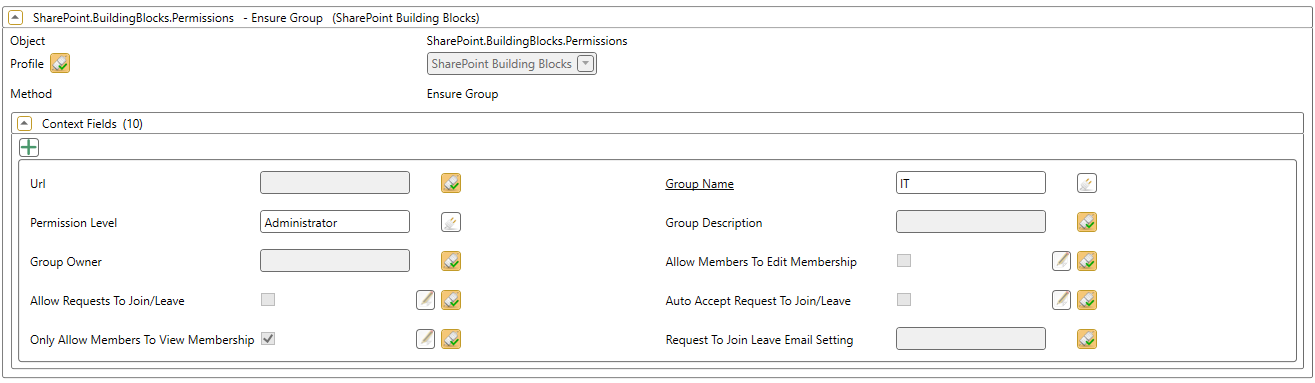 Users will be assigned to the desired roles using the Ensure User method from the SharePoint.BuildingBlocks.Permission object.
There are two categories of masterdata:
Priority
This overview shows all available priorities and how many issues they are linked to. You can create, edit, or recycle existing priorities via the context menu (visible on hover). You can also manage the Archive, which is accessible through the context menu in the header.
The Archive contains all recycled priorities. For each priority, you can Edit, Restore, or Delete it via the dotted-row menu (visible on hover). You also have the option to Clean the archive.
- Fields
- Example
| Fields | Details |
|---|---|
| Priority | The Priority Name |
| Color | You can pick a color from the provided color library. Or create a new color if needed |
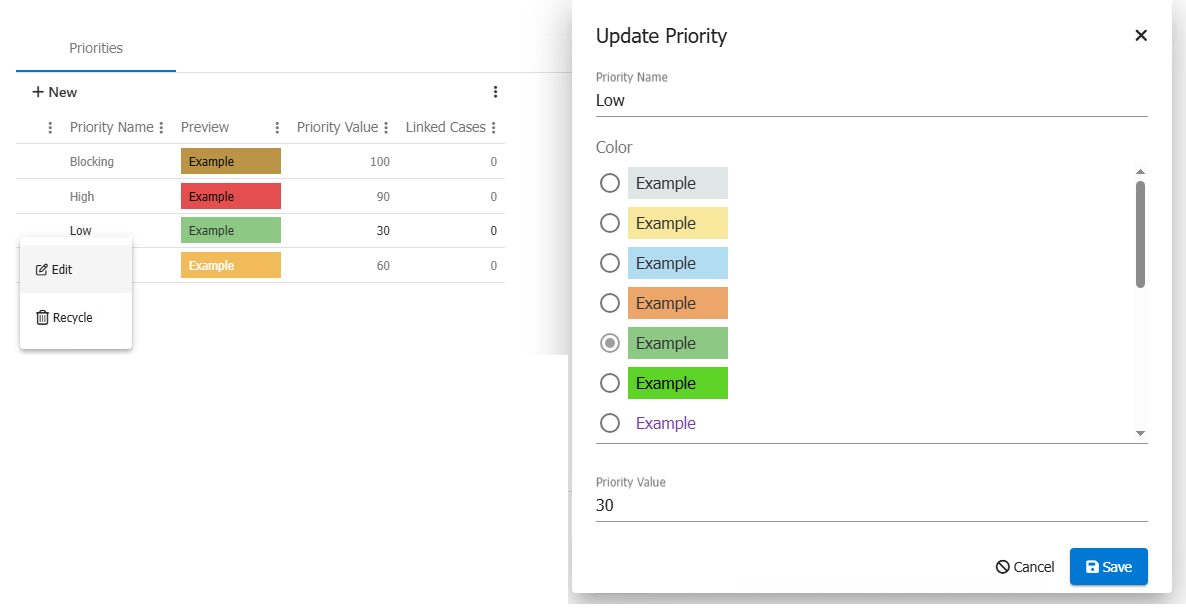
The values in the overview in the image are the default values.
Issue Category
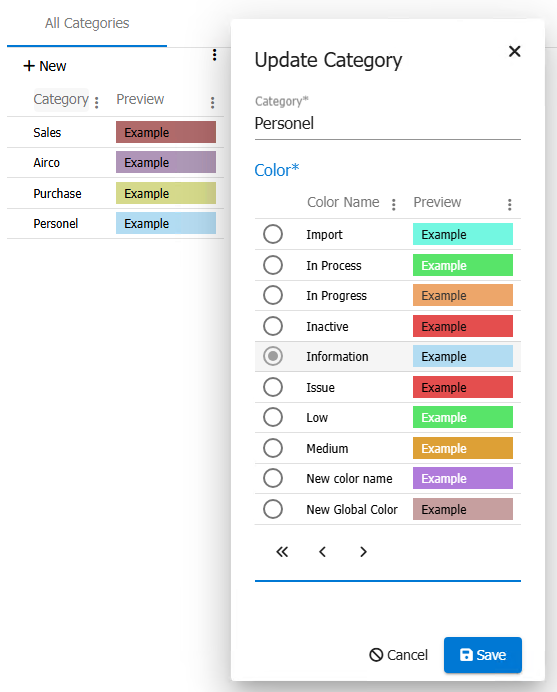
Issue categories are used to classify issues. They are shown in the Category column of the issue views and can be selected in the issue forms.
This overview shows all available issue categories and their color preview. You can create, edit, or recycle existing categories via the row context menu. The Archive is accessible through the header context menu.
The Archive contains all recycled issue categories. For each category, you can Edit, Restore, or Delete it via the dotted-row menu (visible on hover). You also have the option to Clean the archive.
- Fields
- Example
| Fields | Details |
|---|---|
| Category | The category name shown on issues and issue overviews |
| Color | You can pick a color from the provided color library or create a new color if needed |
| Preview | Shows how the selected category color will be displayed in issue views |