Messages Masterdata
In order to start using the Messages module your masterdata must be set up correctly.
caution
A user must have the Administrator role to edit master data. This means the role needs to be configured on the lifecycle where the master-data administrators will be deployed (in Case Management) and a membership must be created.
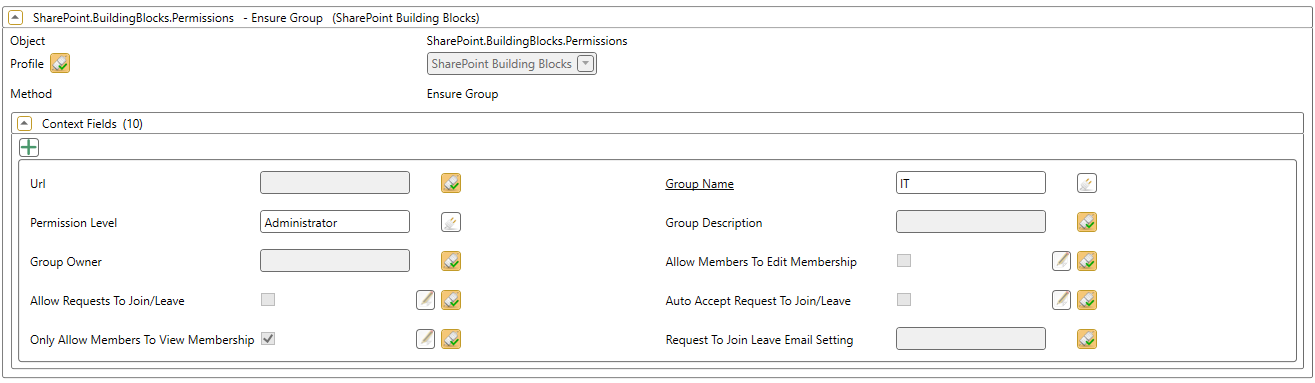 Users will be assigned to the desired roles using the Ensure User method from the SharePoint.BuildingBlocks.Permission object.
Message Type
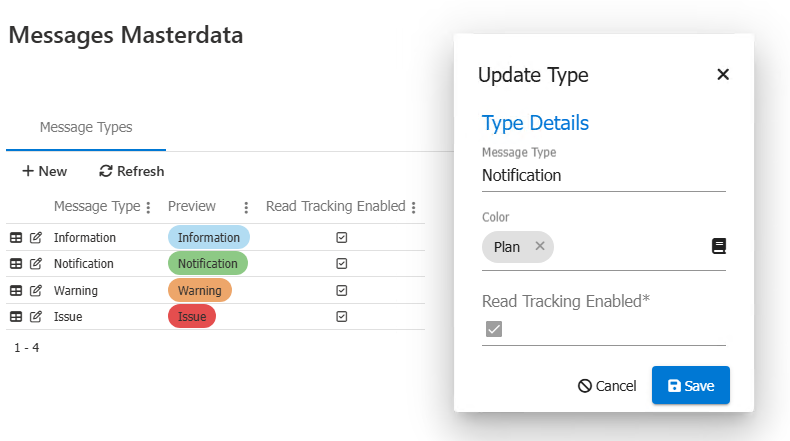
The Message Type overview helps to stylize the Type for the Message field in the Messages overview.
- Fields
- Example
| Fields | Details |
|---|---|
| Message Type | The Message Type Name |
| Color | You can pick a color from the provided color library or create a new color if needed |
| Tracking Enabled | When a message is created, also check if Read Tracking should be enabled (track if a user has read the message) 0 = Not Enabled; 1 = Enabled |