Issues
Manually documented issues are always in context of a process or a part of the process.
- Issues are always assigned to a Priority and can also be assigned to a Category. Default deployed priorities: Low, Medium, High and blocking. These priorities can be managed through master data. Issue categories can also be managed through master data.
- A new issue can be created from an issue view, but can also be created out of a Message (of type issue).
Issues - Dashboard
My Open Issues By Related Lifecycle From User
This overview can be placed on the page by using Object = Issue - Dashboard and View = All Open Issues By Related Lifecycle From User Tabbed.
This displays all issues related to the current and related lifecycle, grouped by Priority. A second tab is available shows all open issues and a third tab for the closed issues. This tabbed view can be placed on a dashboard and will show all cases related to the dashboard lifecyle and it's related lifecycles.
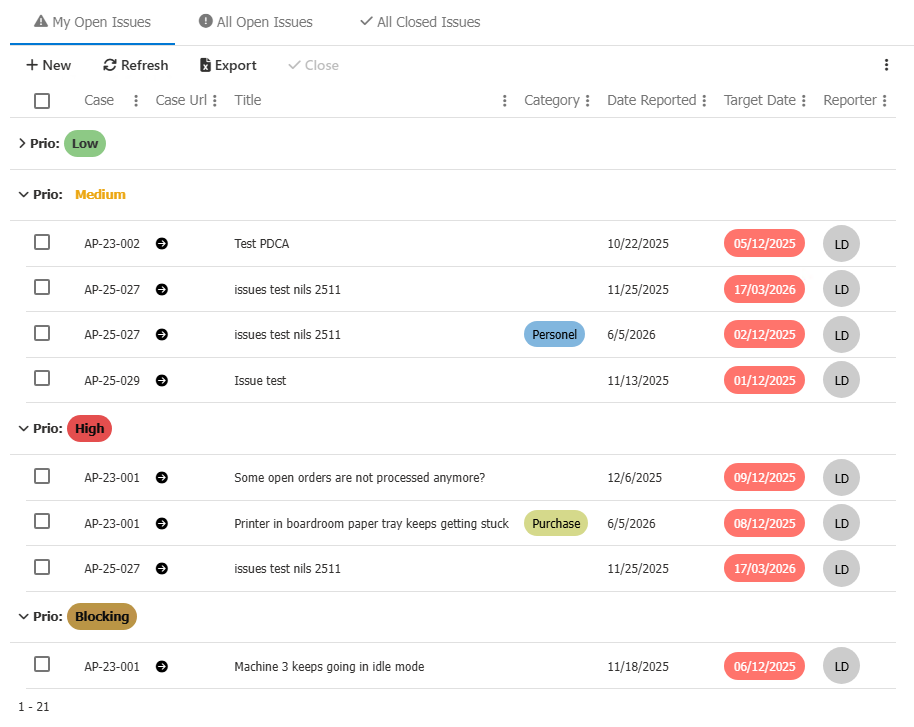
When the target date of an issue is exceeded it will be colored red. This setting is valid on all overviews.
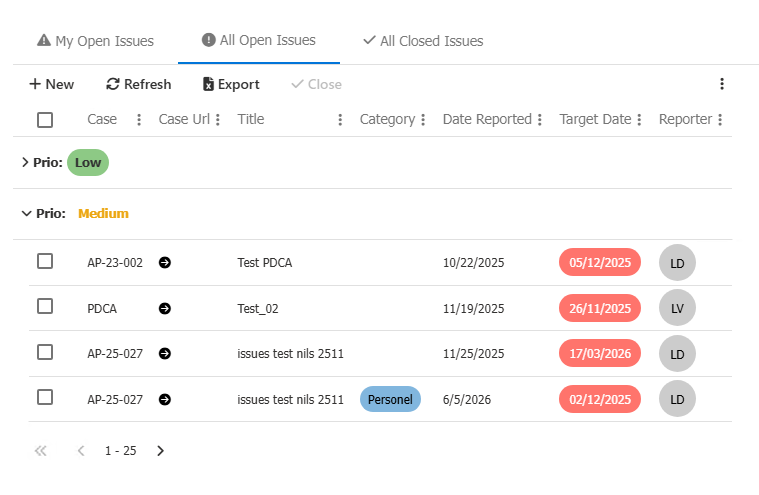
All Open Issues
This overview shows all issues with open status.
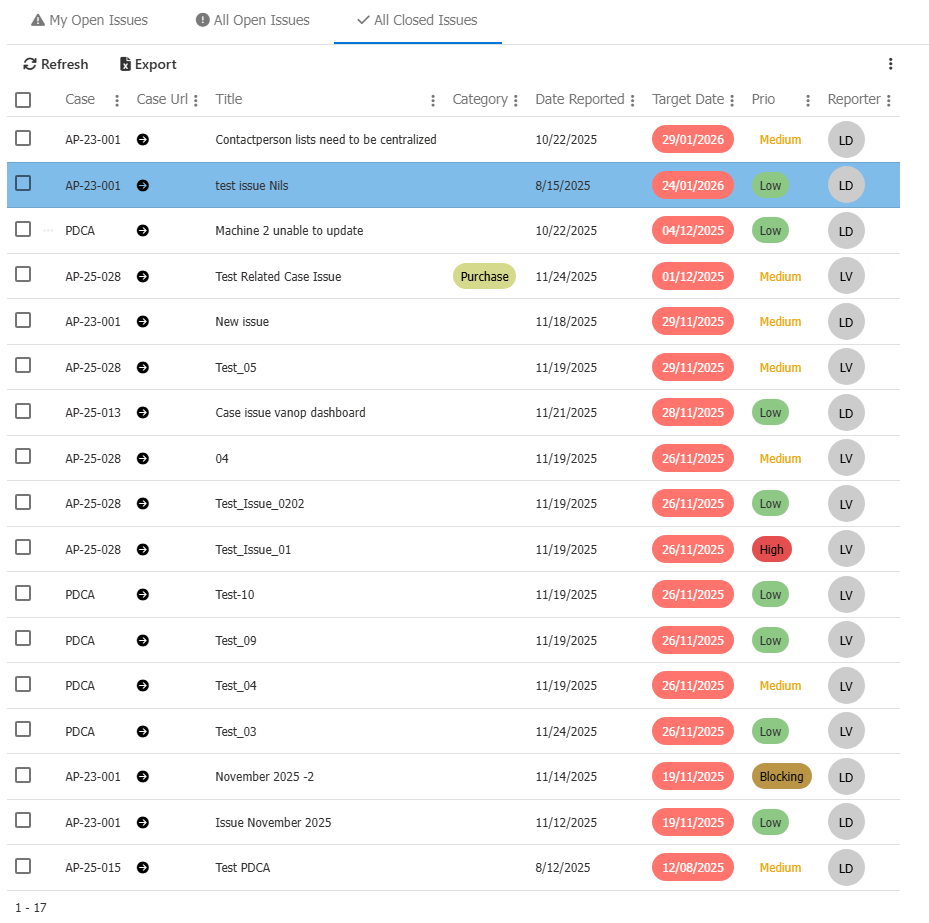
Closed Issues
This overview shows all issues with closed status.
Views available on dashboard level
| Overview | Details |
|---|---|
| All Archived Issues By Lifecycle | Retrieves all archived issues related to the current Lifecycle |
| All Archived Issues By Related Lifecycle | Retrieves all archived issues related to the current and related lifecycle |
| All Closed Issues By Lifecycle | Retrieves all closed issues related to the current Lifecycle |
| All Closed Issues By Related Lifecycle | Retrieves all closed issues related to the current and related lifecycle |
| All Issues by Lifecycle | Retrieves all issues related to the current Lifecycle (Archived issues are not included) |
| All Issues by Related Lifecycle | Retrieves all issues related to the current and related lifecycle (Archived issues are not included) |
| All Open Issues By Lifecycle | Retrieves all open issues related to the current Lifecycle |
| All Open Issues By Lifecycle From User | Retrieves all open issues related to the current Lifecycle From the current user |
| All Open Issues By Related Lifecycle | Retrieves all open issues related to the current and related lifecycle |
| All Unlinked Issues | Retrieves all unlinked. These are issues the have no relation to any case |
The issue views have a header context-menu function View Archive that opens the archived issues for the active view context.
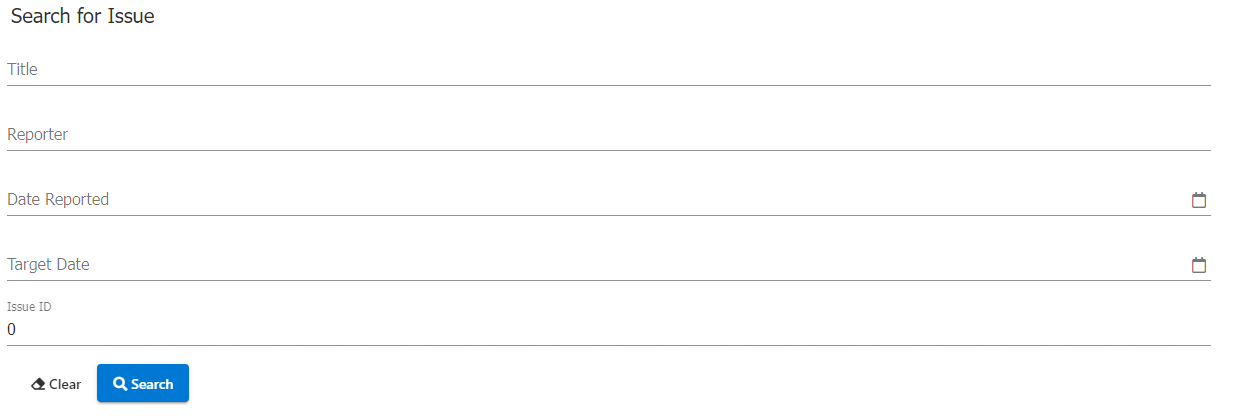
There is also a filter available that facilitates the search. Fill in one or more fields with the desired value(s) and then press the "Search". Only those records that meet the criteria will appear in the Issue overviews.
Issues - Case
My Open Issues By Case From User
This overview can be placed on the page by using Object = Issue - Case and View = All Open Issues By Case From User Tabbed.
It displays issues related to the case and current user, grouped by Priority. A second tab is available that shows all open issues related to the case. And a third tab for all closed issues related to the case.
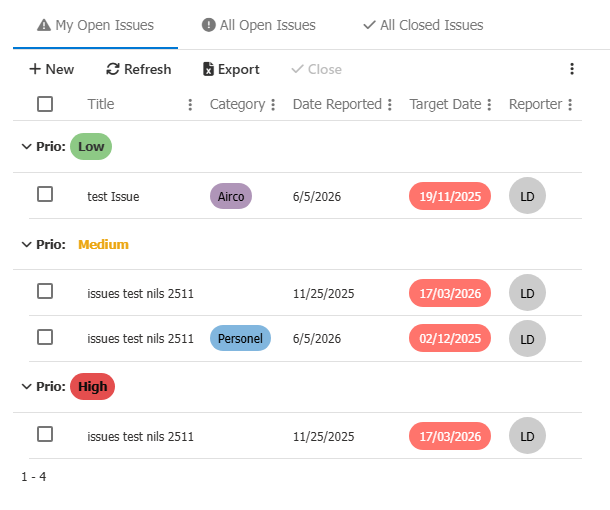
When the target date of an issue is exceeded it will be colored red. This setting is valid on all overviews.
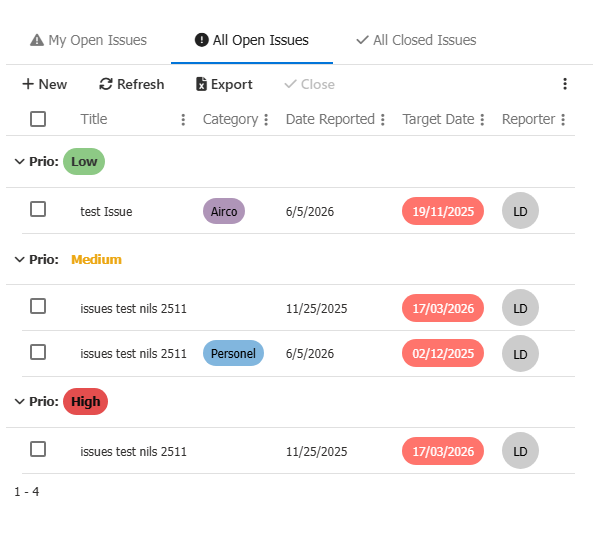
All Open Issues
This overview shows all issues with open status.
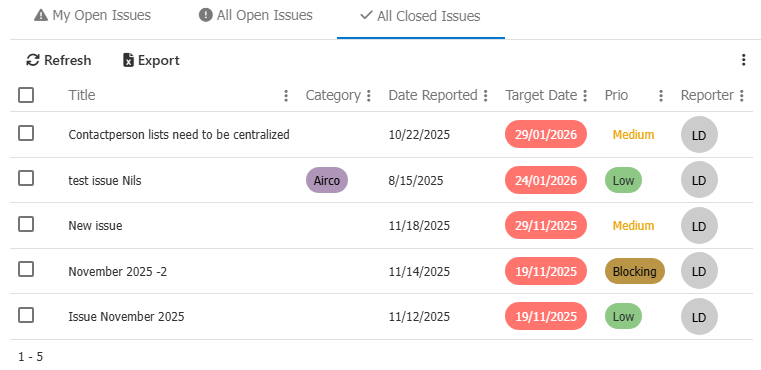
Closed Issues
This overview shows all issues with closed status.
Views available on case level
| Overview | Details |
|---|---|
| All Archived Issues By Case | Retrieves all archived issues related to the case in context |
| All Archived Issues By Related Case | Retrieves all archived issues related to the related Case |
| All Closed Issues By Case | Retrieves all closed issues related to the case in context |
| All Closed Issues By Related Case | Retrieves all closed issues related to the related Case |
| All Issues by Case | Retrieves all issues related to the case in context (Archived issues are not included) |
| All Issues by Related Case | Retrieves all issues related to the related Case (Archived issues are not included) |
| All Open Issues By Case | Retrieves all open issues related to the case in context |
| All Open Issues By Case From User | Retrieves all open issues related to the case in context From the current user |
| All Open Issues By Related Case | Retrieves all open issues related to the related Case |
| All Unlinked Issues | Retrieves all unlinked. These are issues the have no relation to any case |
The issue views have a header context-menu function View Archive that opens the archived issues for the active view context.
There is also a filter that facilitates the search. Fill in one or more fields with the desired value(s) and then press the "Search". Only those records that meet the criteria will appear in the Issue overviews.
Creating an Issue
- Fields
- Example
| Fields | Required | Details |
|---|---|---|
| Title | ✔️ | The title of the issue |
| Date Reported | ✔️ | It will be filled automatically with the current day |
| Target Date | ✔️ | The date by which the issue must be resolved or is expected to be closed |
| Prio | ✔️ | The values in the list are taken from the Priority overview (Master Data Dashboard) |
| Category | The category of the issue. The values in the list are taken from the Issue Category overview in master data | |
| Description | A text editor where you can write details about the issue | |
| Case | ✔️ | Only visible on Dashboard level. On Case level, the current case is taken in context |
| Lifecycle Wide | It will be checked if you want the issue to be valid on all the cases in the lifecycle | |
| Media | Media control where you can upload photos, uploading other files is not recommended |
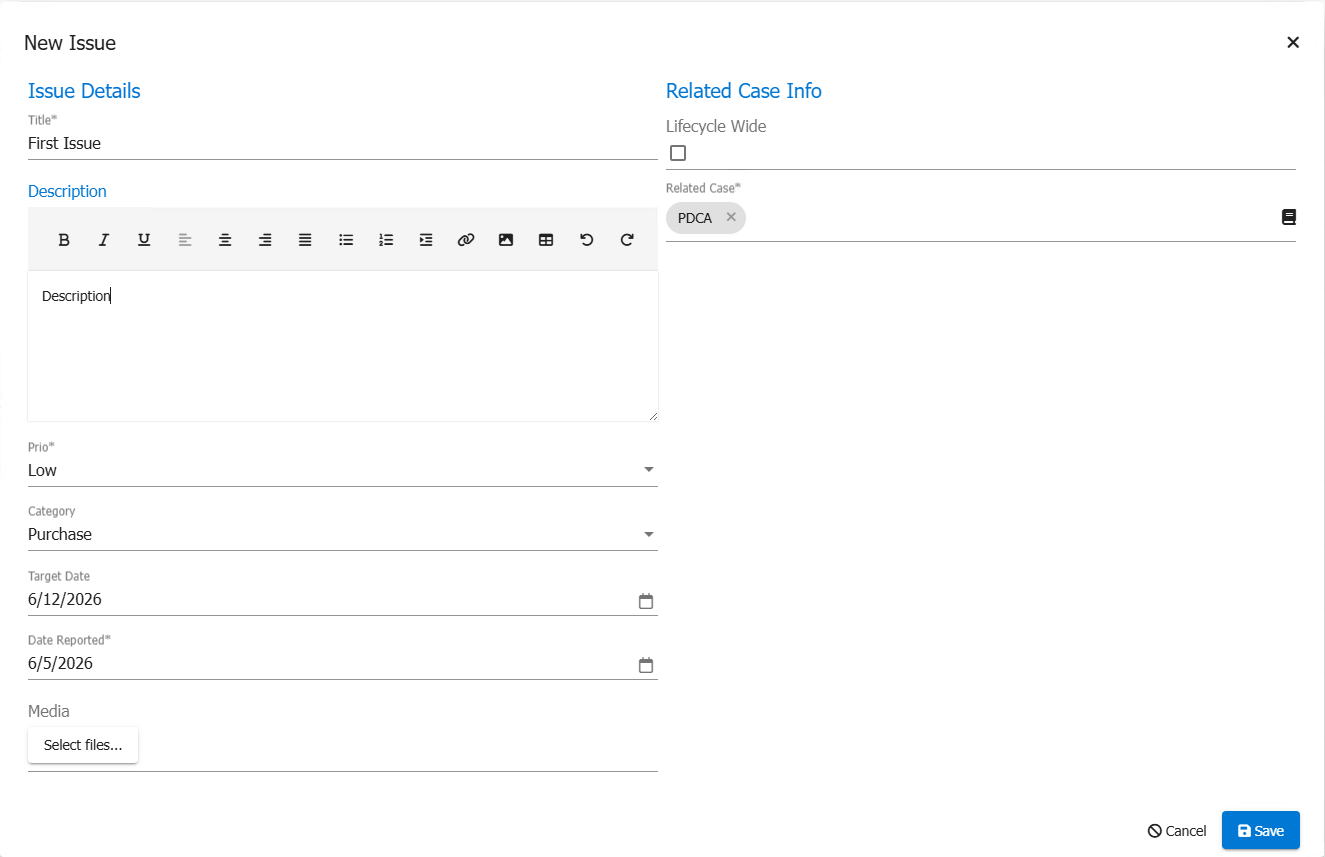
- The 'Related Case' field is only available on dashboards. Creating an issue in a specific case will always set that current case as Related Case.
- On case level the related case will automatically be the case in context.
- After saving, the reporter will be filled out with the name of the user who made the issue. The default status of a new issue is 'Open'.
Update an Issue
The update form shows the Date Created and lets you update the issue.
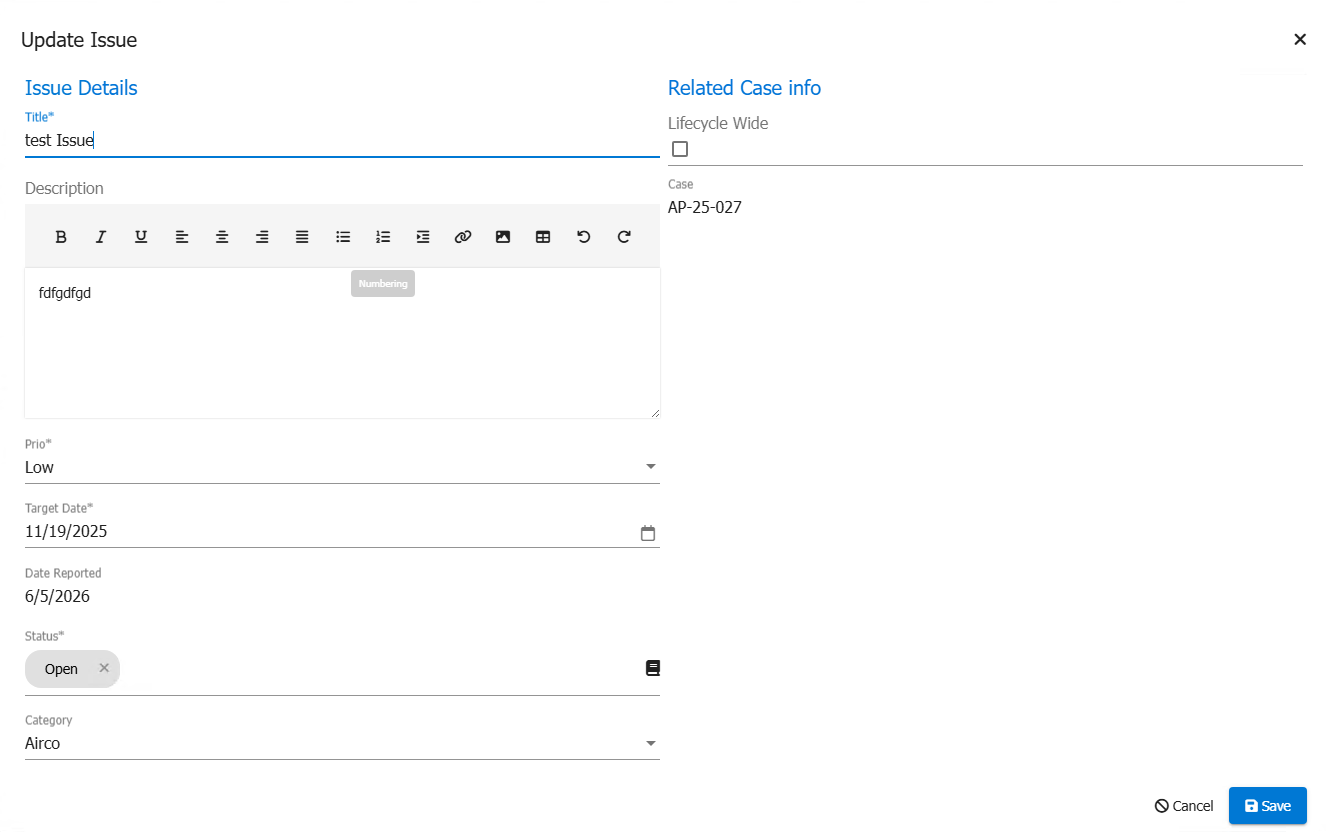
Target date cannot be modified with a date from the past (smaller than the current date) if the status is open. Also, if a change is made, the Date Reported will be updated with the current day if it has not been changed with a day in the future.
Context menu's functionalities
- Context Menu's
- Example
Most of the functionalities of an issue are hidden behind a context menu. You can find this menu on item level in front-of a row, or in the header at the right hand side.
The row context menu contains the following functions:
- Details
- Edit
- Issue Description
- Issue Photos
- Add Photo
- Recycle
The header context menu contains the following functions:
- View Archive
- Increase Prio
- Decrease Prio


Issue Photos
The Issue photos function will open the images that were attached to the current issue and will let you remove photos.

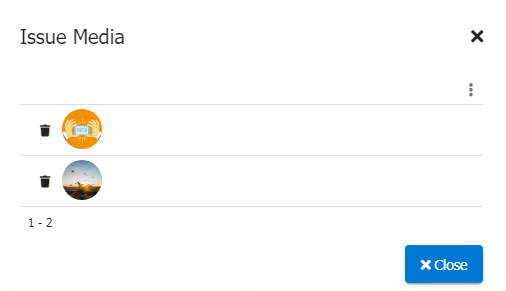
Additional functionalities
- View details
- Edit an issue
- Issue Description (In this form only the description of an issue can be inspected) - found in row context menu
- Add Photo (In this form you can add photos for an issue) - found in row context menu
- Issue Photos (This opens the images that were attached to the current issue)
- View Archive (This opens the archive for the active issue view)
- Increase & Decrease Issue Prio (Update the priority for the selected issue) - found in header context menu
- Close Issue (Changes the status from Open to Closed) - found in the toolbar when available
- Reopen Issue (on closed view only)
- Archive issue - found in row context menu
Issue KPI
This tile shows how many Issues are overdue for the current user on a certain case/lifecycle (it also takes into account whether the issue is checked as Lifecycle Wide or not).
Depending on the number of Overdue Issues, the tile changes color. Wwhite for 0 overdue issues, yellow for 1-9 overdue issues and red for more than 9 overdue issues.
