Messages
Messages are unmanaged pieces of communication a.k.a. "Sticky Notes", always related to a Case or Lifecycle.
- Message are of a certain type: Notification, Warning, Information or Issue. These types can ben managed trough master data.
- Messages DON'T trigger Alerts.
- Messages can be "Promoted" to an Issue.
- Messages are NOT assigned to a user or group like Tasks.
There are a few overviews available that can be deployed to a page.
Message - Dashboard
Unread Messages By Related Lifecycle
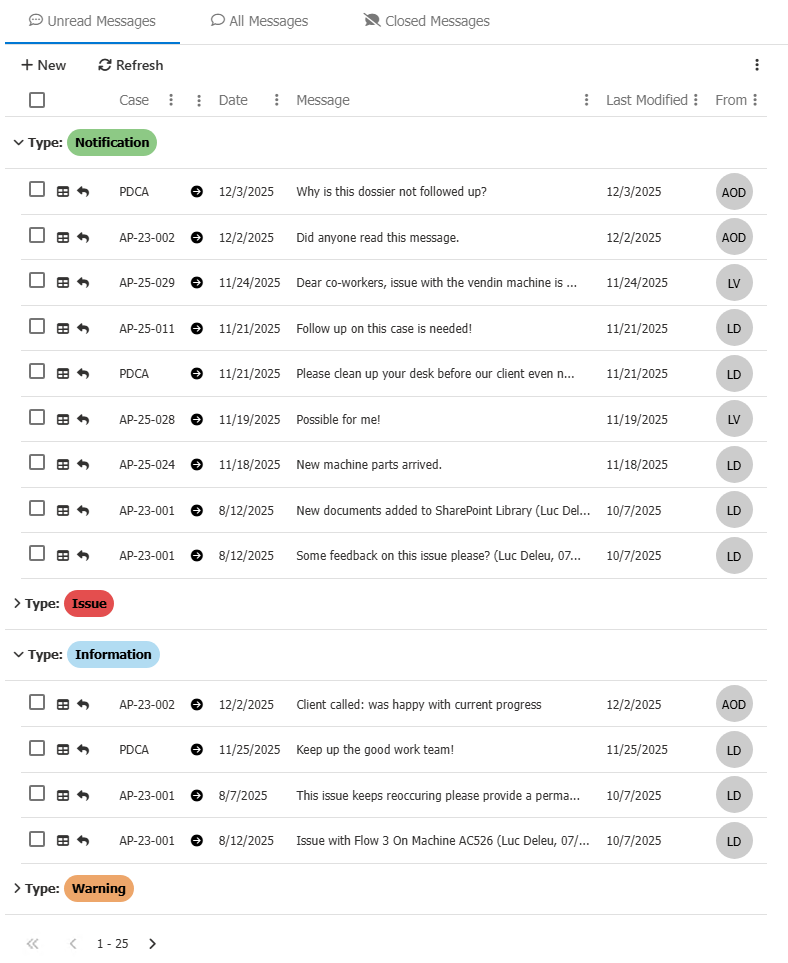
This overview can be placed on the page by using Object = Message - Dashboard and View = Unread Messages By Related Lifecycle Tabbed.
It displays all messages for the current and related lifecycle, grouped by Message Type. A second tab is available that shows all open messages and a third tab for the closed issues. This tabbed view can be placed on a dashboard and will show all cases related to the dashboard lifecyle and it's related lifecycles.
All Messages By Related Lifecycle
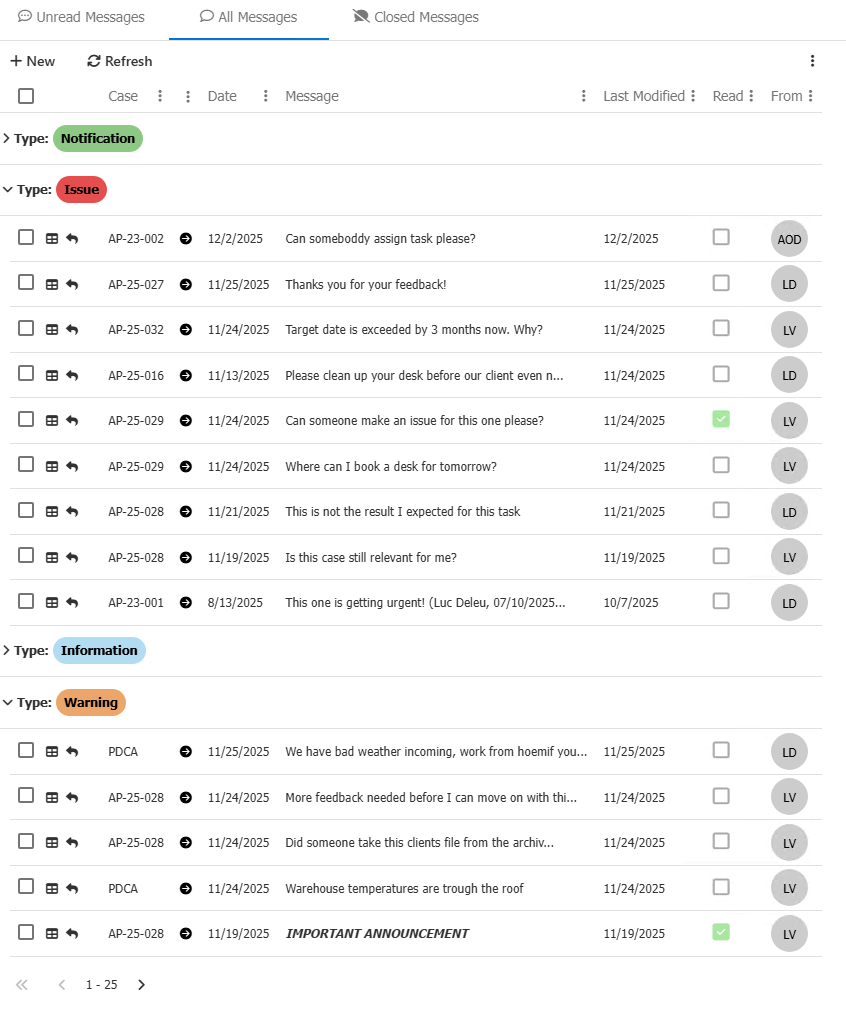
This overview shows all open messages for the the current and related lifecycle (read & unread combined).
All Closed Messages By Related Lifecycle
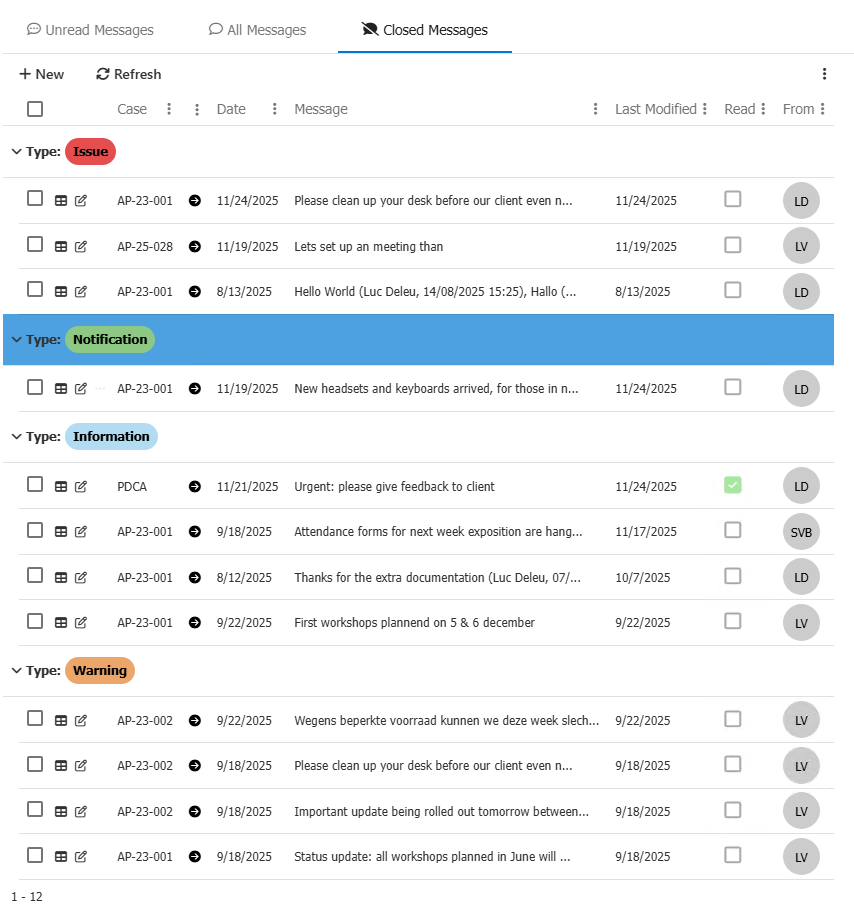
This overview shows all closed messages for the current and related lifecycle. Messages can be reopened from this overview using the context menu.
Views available on dashboard level
- views
- Cards Example
| Overview | Details |
|---|---|
| All Archived Messages | Retrieves all Archived messages |
| All Archived Messages By lifecycle | Retrieves all Archived messages for the current lifecycle |
| All Archived Messages By Related lifecycle | Retrieves all Archived messages related to the current and related lifecycle |
| All Closed Messages | Retrieves all closed messages |
| All Closed Messages By lifecycle | Retrieves all closed messages related to the current lifecycle |
| All Closed Messages By Related lifecycle | Retrieves all closed messages related to the current and related lifecycle |
| All Messages | Retrieves all messages |
| All Messages by lifecycle | Retrieves all messages related to the current lifecycle |
| All Messages by Related lifecycle | Retrieves all messages related to the current and related lifecycle |
| Unread Messages | Retrieves all unread messages |
| Unread Messages by lifecycle | Retrieves all unread messages related to the current lifecycle |
| Unread Messages by lifecycle Card | The 5 most recent unread messages related to the current lifecycle in a card layout |
| Unread Messages by Related lifecycle | Retrieves all unread messages related to the current and related lifecycle |
| Unread Messages by Related lifecycle Card | The 5 most recent unread messages related to the current and related lifecycle in a card layout |
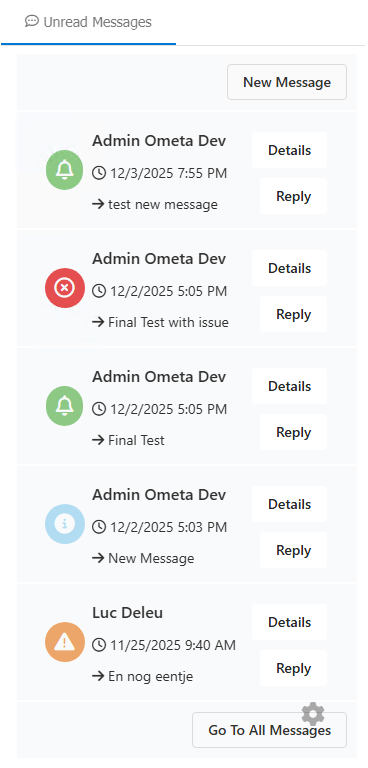
The card view shows the five most recent unread messages from the the current and related lifecycle. From the overview, you can:
- Create a new message (a related case can be chosen from a picker)
- Reply to a message
- View the details of a message (which will mark it as read)
- View all messages (for related lifecycle)
Message - Case
Unread Messages By Case
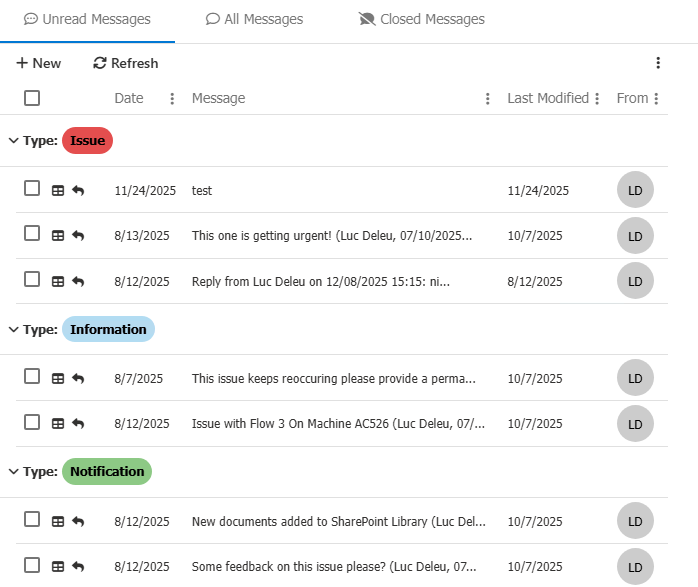
This overview can be placed on the page by using Object = Message - Case and View = Unread Messages By Case Tabbed.
It displays all (my) unread messages related to the case grouped by Message Type. A second tab is available that shows all open messages related to the case and a third tab for the closed messages.
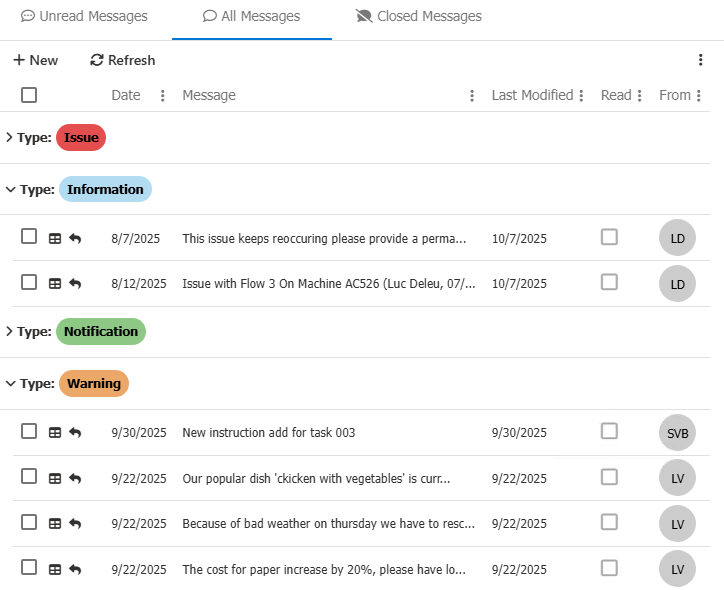
All Messages
This overview shows all open messages for a particular case (read & unread combined).
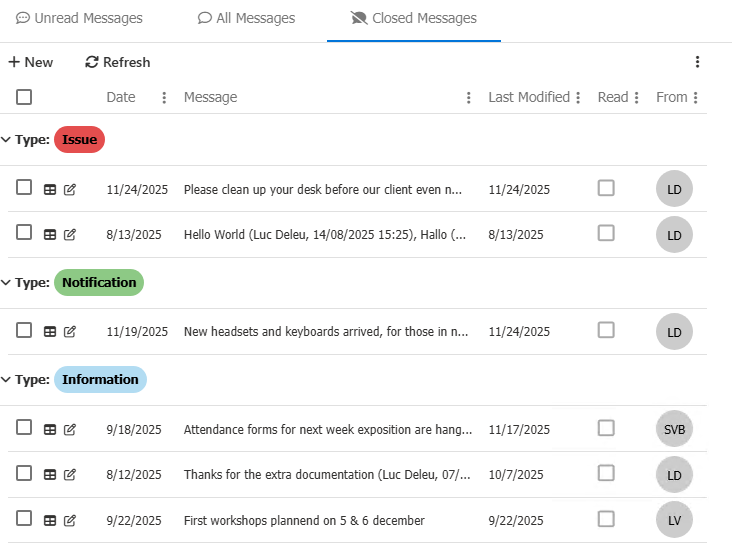
All Closed Messages
This overview shows all closed messages for a particular case. Messages can be reopened from this overview using the context menu.
Views available on case level
- views
- Cards Example
| Overview | Details |
|---|---|
| All Archived Messages By Case | Retrieves all Archived messages for the current case |
| All Archived Messages By Related Case | Retrieves all Archived messages related to the dashboard and its related cases |
| All Closed Messages By Case | Retrieves all closed messages related to the current case |
| All Closed Messages By Related Case | Retrieves all closed messages related to the related |
| All Messages by Case | Retrieves all messages related to the current case |
| All Messages by Related Case | Retrieves all messages related to the dashboard and its related cases |
| All Unread Messages by Case | Retrieves all unread messages related to the current case |
| All Unread Messages by Case Card | The 5 most recent unread messages related to the current case in a card layout |
| All Unread Messages by Related Case | Retrieves all unread messages related to the dashboard and its related cases |
| All Unread Messages by Related Case Card | The 5 most recent unread messages related to the dashboard and its related cases in a card layout |
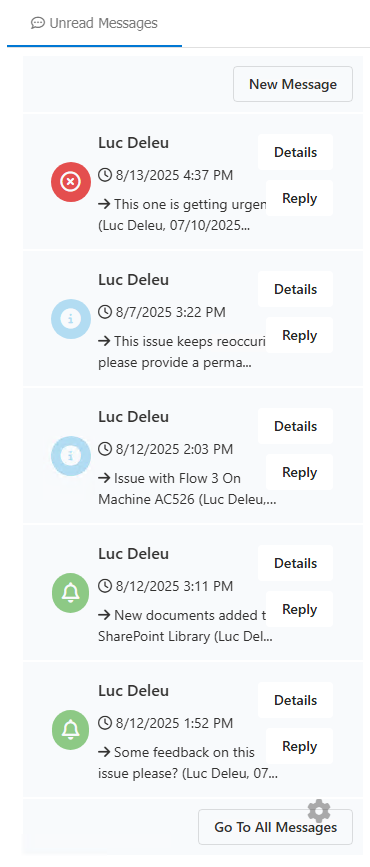
The card view shows the 5 most recent unread messages. From the overview you can:
- Create a new message (for this case)
- Reply to a message
- View the details of a message (which will mark it as read)
- View all messages (from this case)
Creating a Message
- Fields
- Example
| Fields | Required | Details |
|---|---|---|
| Date | ✔️ | The current date when the message was created |
| Type | ✔️ | The message type |
| Message | The content of the message will be entered | |
| Related Case | ✔️ | Only visible on Dashboard level. On Case level, the current case will be set as the related case |
| Applicable to all cases in lifecycle | It will be checked if you want the message to be valid on all the cases in the lifecycle |
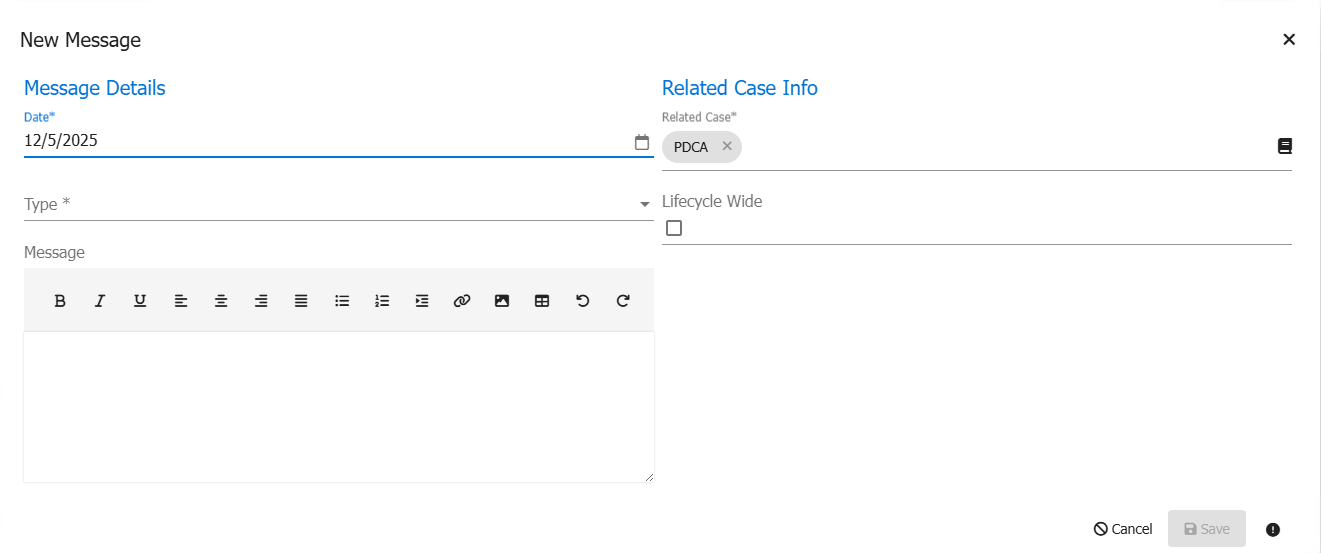
After saving:
- the 'From' field will be filled with the name of the user who made the message
- The Last Modified field will contain the current date
- The Unread field will be checked for all users who have not read the message. The message is marked as read when the message details are opened or when the update form is opened.
Message specific functions
Apart from the visible item function (details & reply to), every row has functionalities that are bundled behind a context menu. By overing over the row, 3 dots will appear, via which you can open the contect menu. Some other functions are hidden behind the context menu in the heaeder of the view (3 vertical dots)
Row context menu

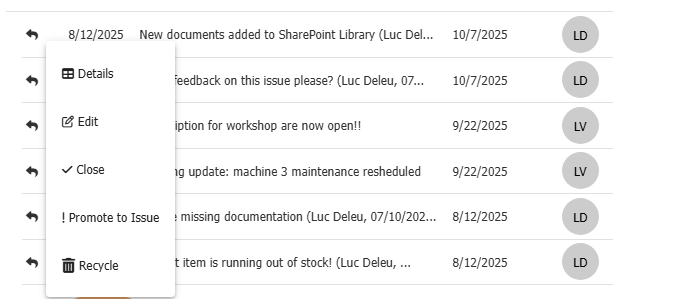
Header context menu

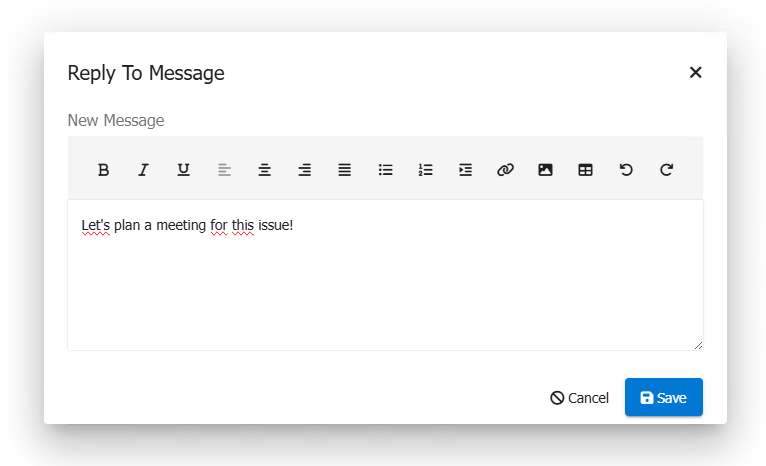
Reply to a Message
The second function will let you reply directly to the selected messages. After replying, it will immediatly be reflected in the overview. Be aware that this will not mark your message as read. Adding a new reply can also be done using the "Edit" function (see below). You can also reply to message by updating it. Every time you add content in de 'Message' field and save, this will be seen a a reply.
- Reply with item function
- Reply trough update form

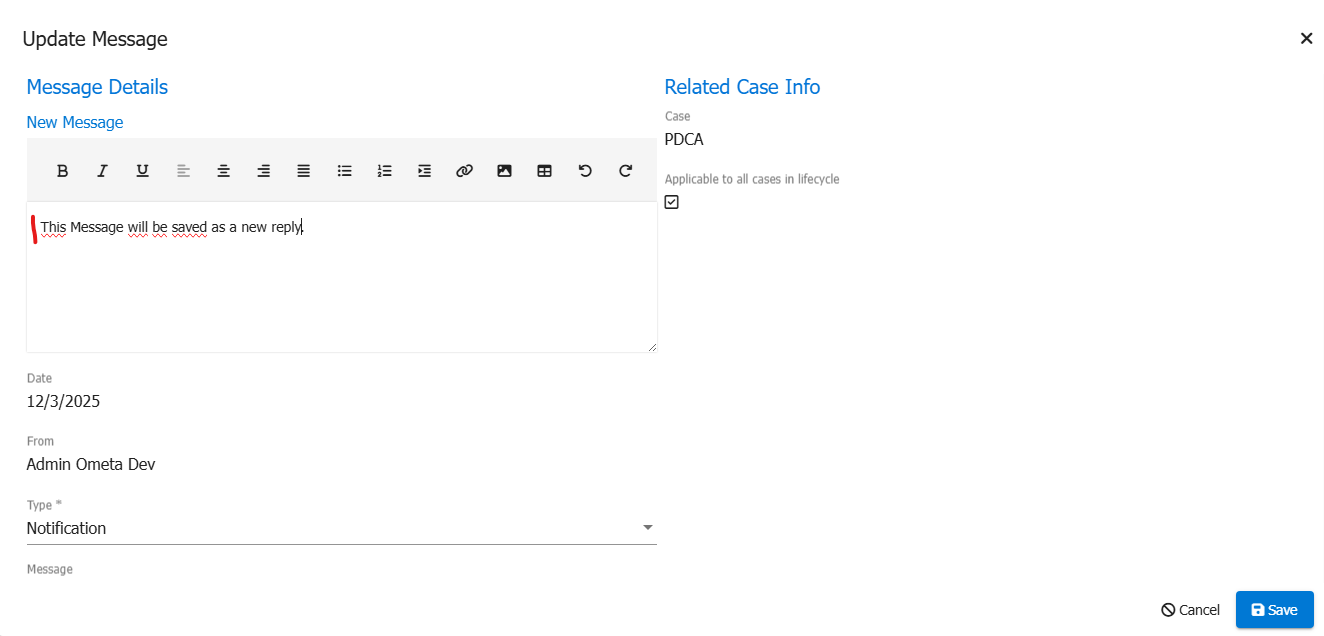
Promote to Issue
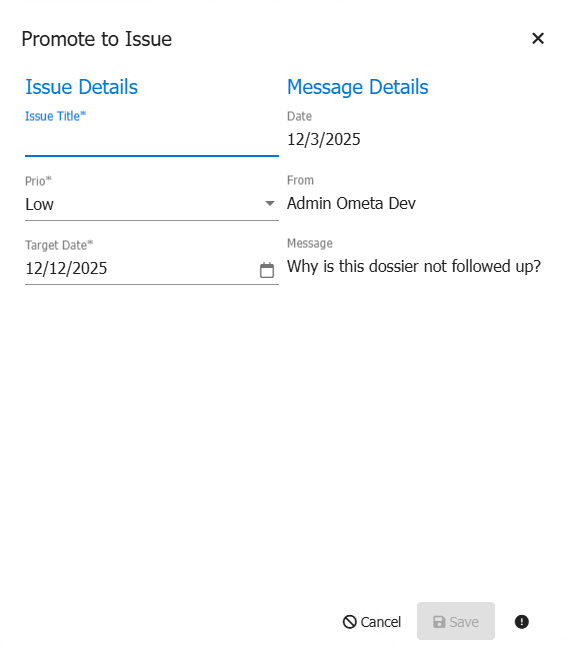
A message can be promoted to an issue.
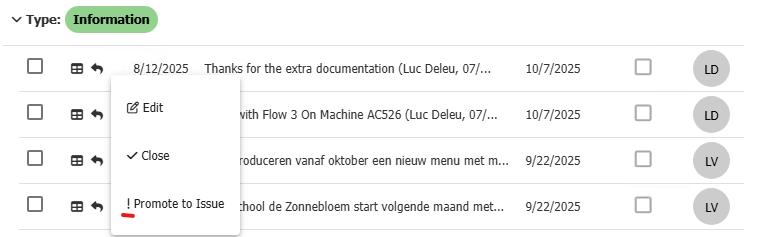
A form will open where you fill in the Issue details. You can also promote a message to an issue through the update form
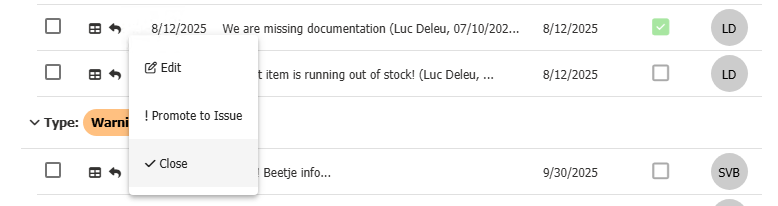
Close a Message
This function will close the issue. These type of messages are considered 'completed' and thus can only be accessed by using one of the "All Closed Messages..." views. Be aware that this is not the same as Archiving a message, which will also set the message as inactive.
Additional functionalities
- View message details
- Update a message
- Archive a message
Unread Message KPI
This overview shows how many unread messages the current user has depending on the case/lifecycle.
Depending on the number of Unread Messages, it changes color. White for 0 unread messages, yellow for 1-9 unread messages and red for more than 9 unread messages.
