Solution Configuration
Case Management
For each of the two lifecycles (PDCA Dashboard, Action Plan), the setting Url Mapping needs to be changed to the desired one.

On the Action Plan lifecycle change the default Dashboard URL property value to the URL of the dashboard you have chosen.

Site Creation
The object that triggers the site creation is "PDCA.Dashboard" with the method "Create PDCA Dashboard".
The default name of the site is "PDCADashboard", but if you wish to change it you can test the method and modify the Portal Name.
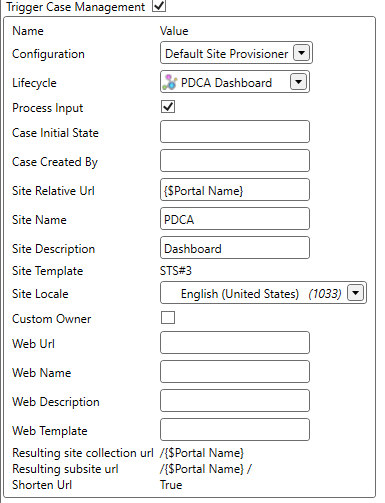
Site creation is initiated by testing the method. The method is executed using the "DCS ODBC" profile. In the pop-up that appears, you enter the desired Dashboard ID and, if you wish, make changes to the Portal Name.
It is also important to leave the sublifecycle with the default value of 'Action Plan'. Otherwise, changes will need to be made in multiple places, which is not recommended.
Security
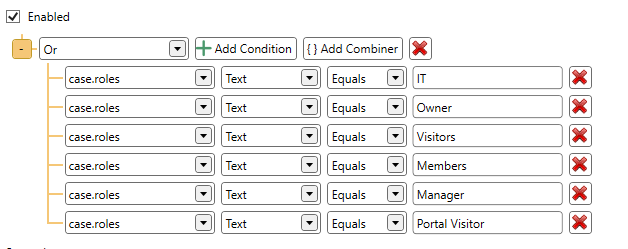
Permissions can be set through multiple roles:
- IT - They have access to all overviews with all functionalities from all action plans.
- Owner - They have access to all overviews with all functionalities from all action plans.
- Visitors - They only have the right to read information without adding/deleting/modifying data.
- Members - Their access is more restricted; they don't have access to all functions or overviews.
- Manager - They have access to all overviews with all functionalities from all action plans.
- Portal Visitor - They only have the right to read information without adding/deleting/modifying data.