Action Plan Details
Navigation to details
To enter the details of an action plan, you can access the link from any of the Action Plans overviews as in the example below.

Action Plan Elements
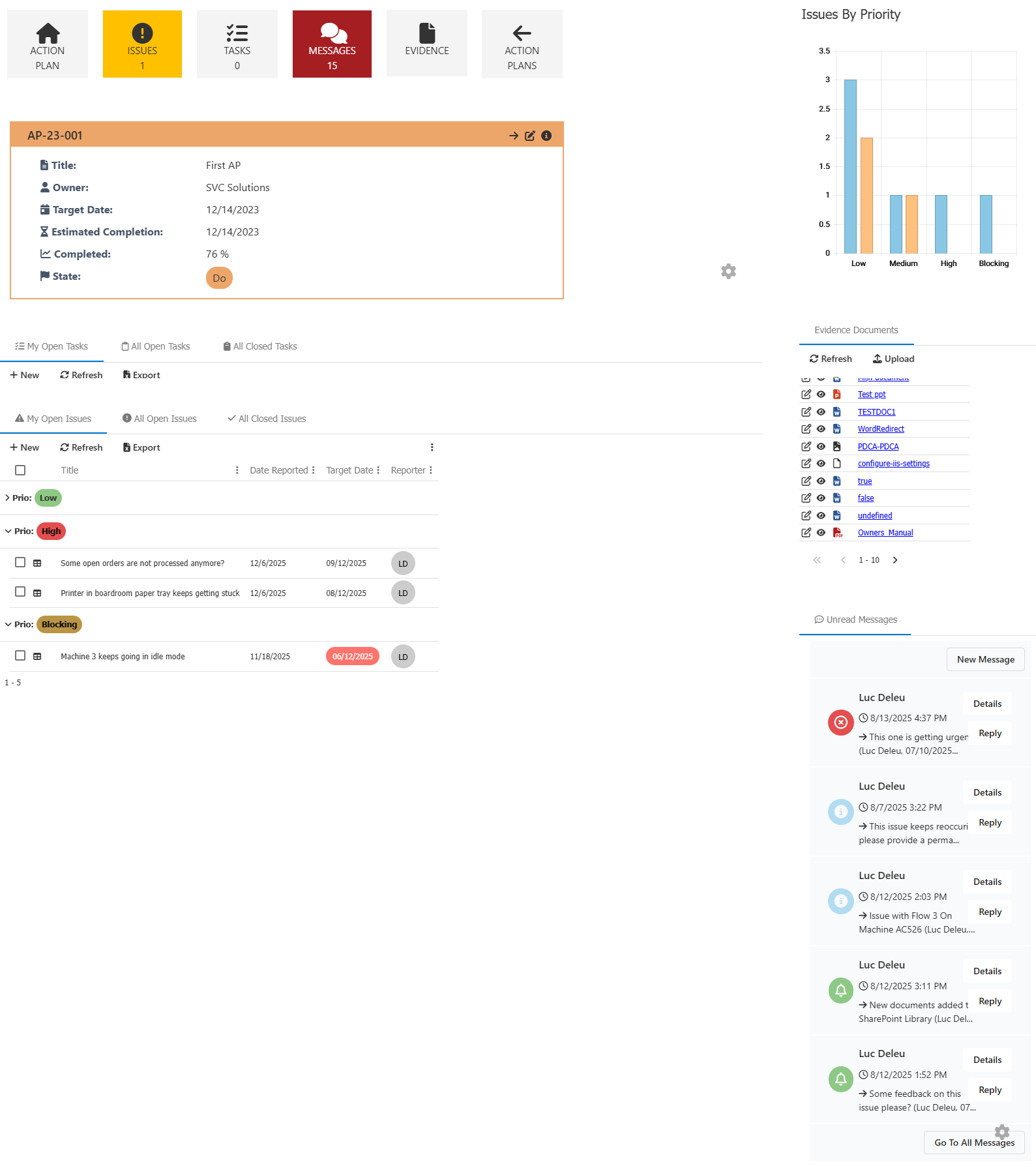
On this page you can access all detailed information about the current action plan.
Navigation Tiles
On top of the page you can find the action plan menu which includes 5 navigation items. The Open Messages, Tasks and Issues are also provided with a counter:
- The number of unread messages for the current user for this action plan
- The number of open tasks for the current user for this action plan
- The number of open issues from the current action plan from the current user.
When the number is 0 it will be gray, in the range of 1 to 5 it's yellow and for more than 5 it's red.
Action Plan Details
Below the Smart Tiles, the action plan details are shown.
This gives you some quick details on the action plans. The color of the box is determined by the current Action Plan state.
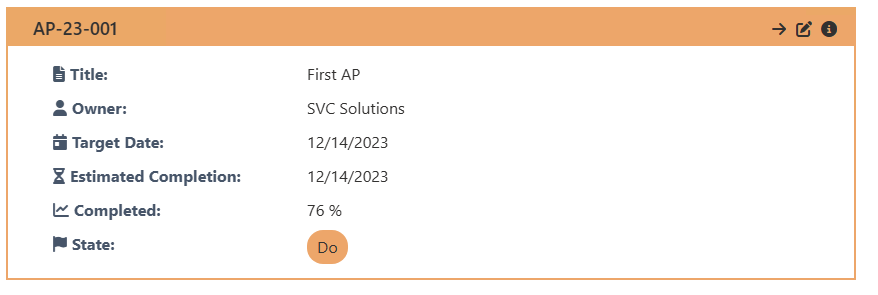
In the top right corner you have the option to:
- View more details
- Update the Action Plan
- Push the Action Plan to the next state
The state "Archived" is the final state of an Action Plan. When pushed to this state, it is seen as 'completed' and concidered as documentation for future use.
Tabbed Overview
Below the details card, you can find an overview of all Task & Issues grouped by priority. These Tasks & Issues are in context of the current Action Plan (as are are views on this page)
Graphs
On the right you can see a graphic overview of the issue count categorized as open or closed.
Other Pages
From the Smart Tiles some other pages are also accesible
- Issues Page (functionalities are documented in Module Issues documentation)
- Messages Page (functionalities are documented in Module Messages documentation)
- Tasks Page (functionalities are documented in Module Tasks documentation) Module Tasks documentation)
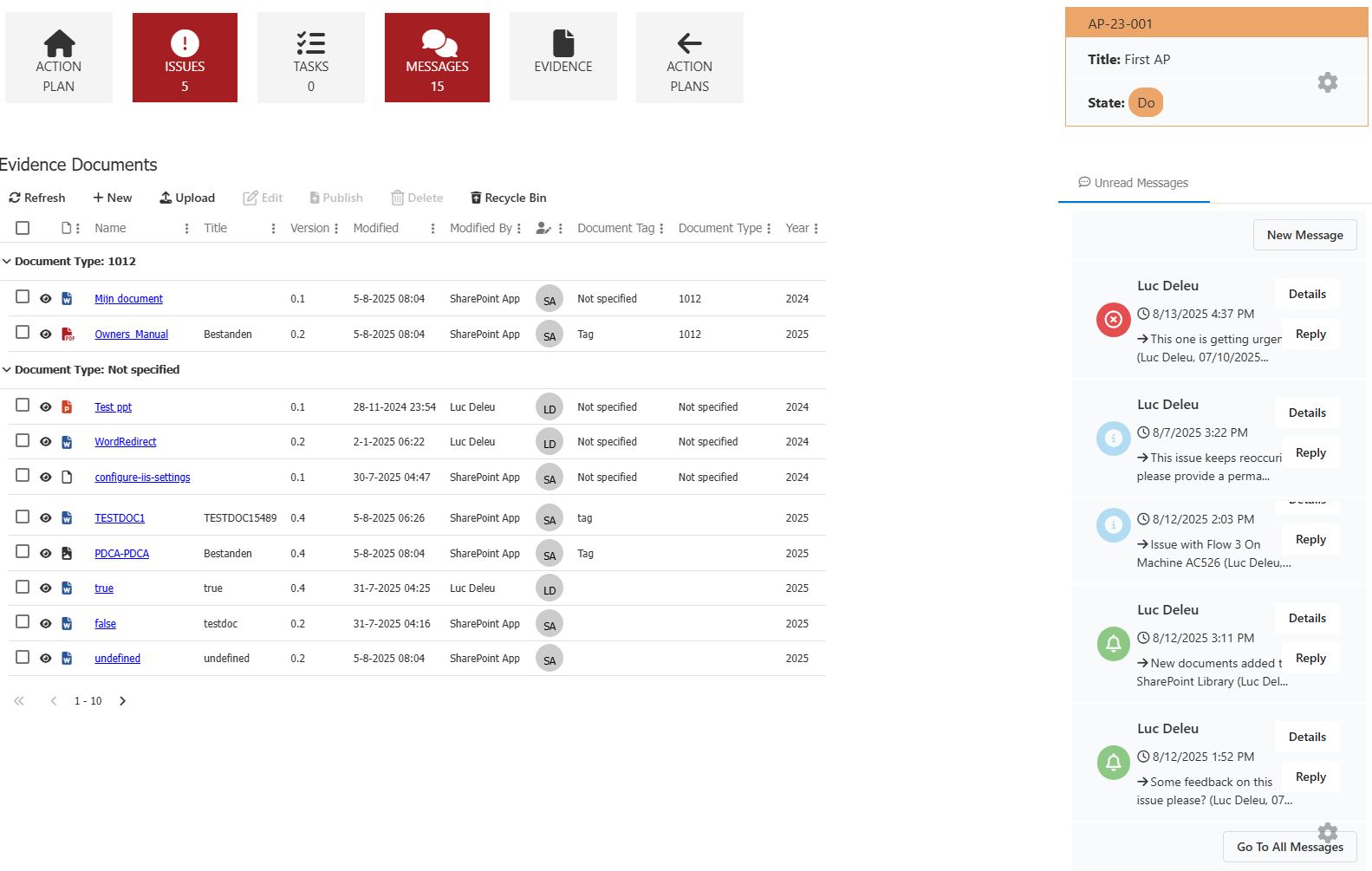
Evidence Page
On this page you will find an overview of the documents related the current Action Plan. This library is using the Document Approval Module. Extended functionality description can be found in the module's documentation.