Triggers
What are Triggers?
Triggers are any source that can create events. These events can be validated on a regular basis or can be push-based, for example in the case of a machine pushing data through OPC UA. End users can filter out the events by configuring rules on a trigger and can attach alerts to these triggers to be notified when a specific event has happened.
The Alert Management solution does not provide any triggers out of the box, but gives technical users the capacity to define triggers that can then be used by end-users. Currently three trigger types exist:
- Lifecycle triggers
- Method triggers
- Subscription triggers
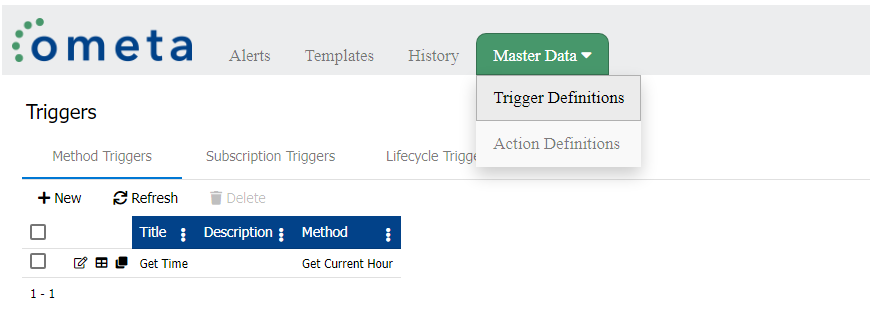
These triggers can be configured on the 'Trigger Definitions' section under the 'Master Data' tab within Alert Management.
Using Triggers
Triggers are used as the first step in configuring an alert. Click here for an example on how to configure a trigger and how to use it in an alert.
Lifecycle and method triggers are validated each minute using a method job. Subscription triggers are push-based and will be checked whenever the source for that triggers pushes information.
Creating New Triggers
Only technical users can create new triggers.
Triggers can be created in the 'Triggers' section within Alert Management.
Based on the trigger type, different configuration needs to be made.
- Method Trigger
- Lifecycle Trigger
- Subscription Trigger
- Description
- Fields
- Example
| Field | Required | Description |
|---|---|---|
| Title | ✔️ | A user-friendly trigger title. |
| Description | Description of the trigger. | |
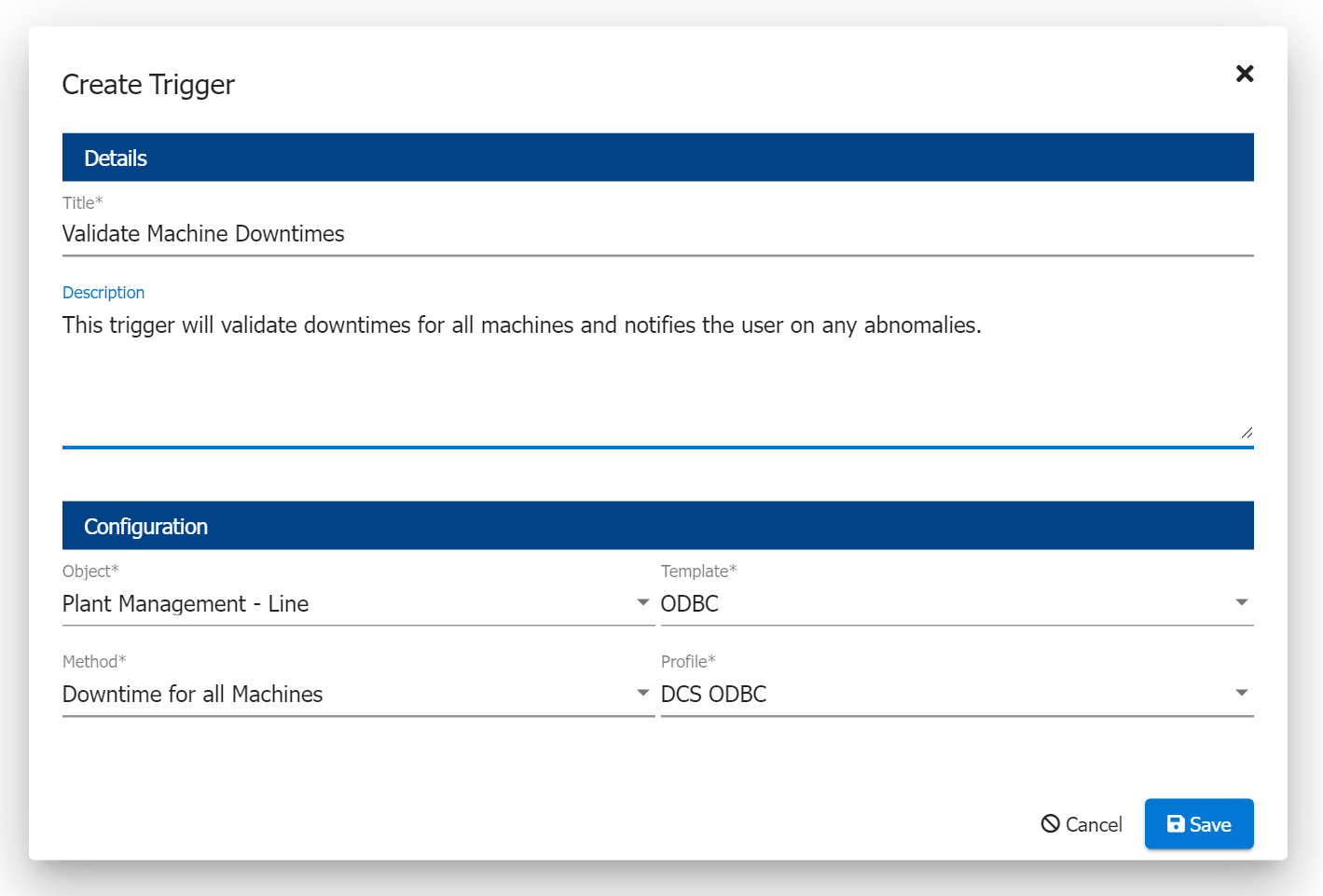
| Object | ✔️ | Object within the Ometa Framework in which the method exists. |
| Method | ✔️ | Method which is executed as the source for this trigger. |
| Template | ✔️ | The template to fetch profiles for. |
| Profile | ✔️ | The profile to execute this method against. |
- Description
- Fields
- Example
| Field | Required | Description |
|---|---|---|
| Title | ✔️ | A user-friendly trigger title. |
| Description | Description of the trigger. | |
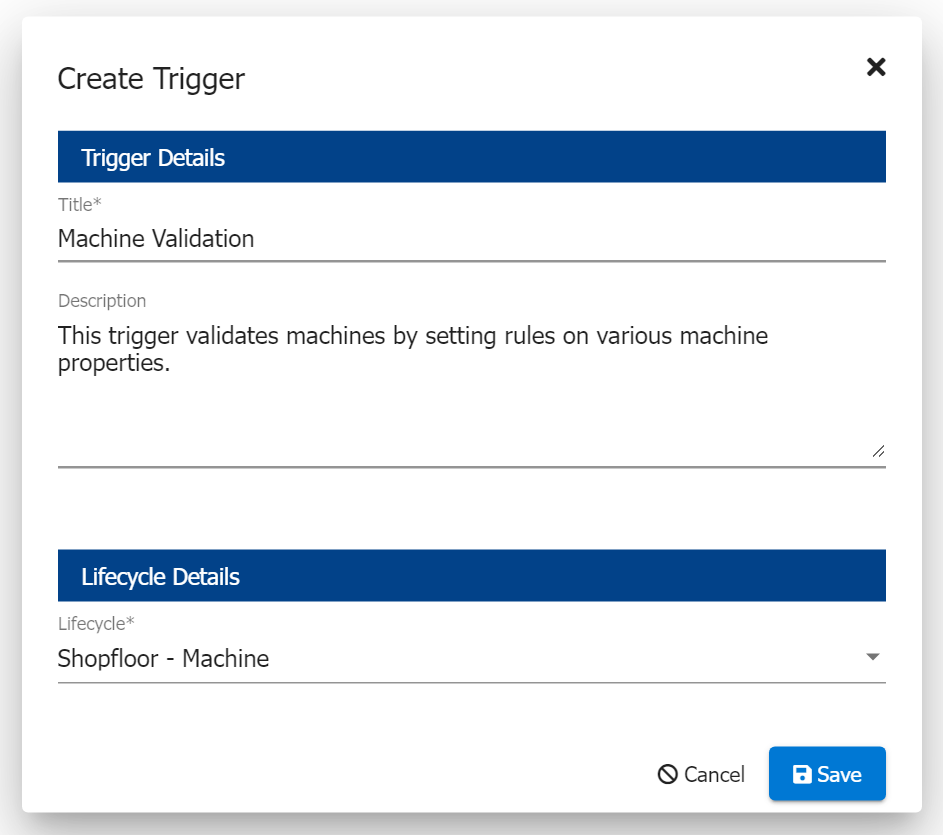
| Lifecycle | ✔️ | The Lifecycle within the Ometa Framework for which cases need to be validated. |
- Description
- Fields
- Example
| Field | Required | Description |
|---|---|---|
| Title | ✔️ | A user-friendly trigger title. |
| Description | Description of the trigger. | |
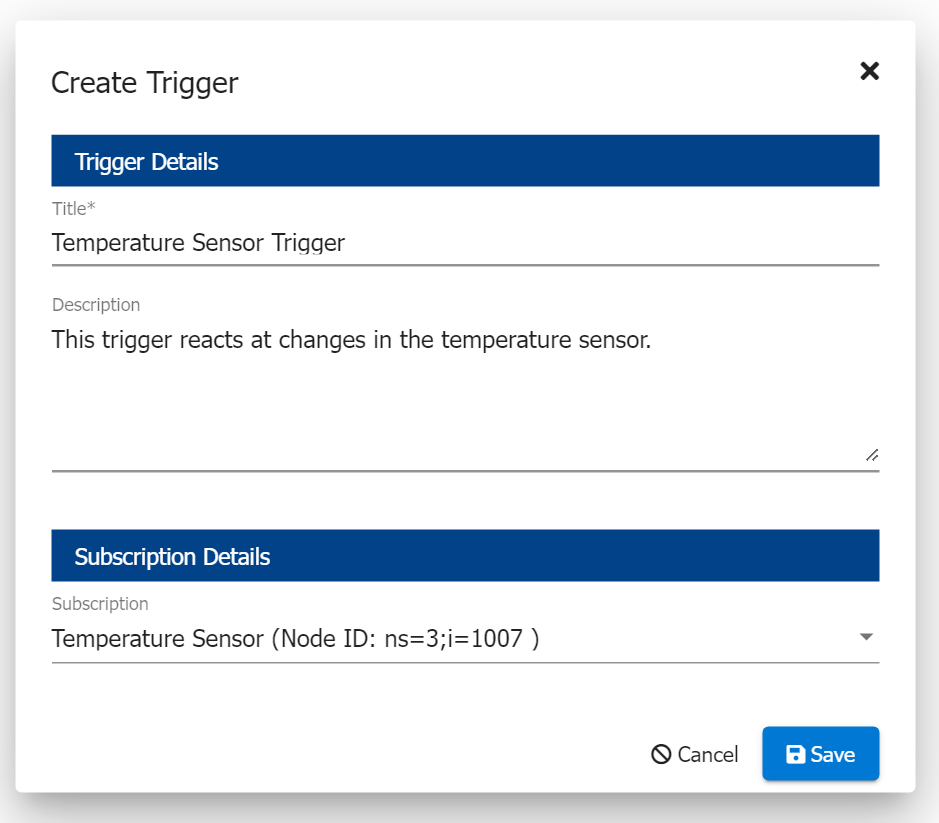
| Subscription | ✔️ | The Subscription within the Ometa Framework which needs to be validated. |