Contract Management
The Contract Management template provides a portal in which users can manage and collaborate on contracts.
It inherits from the Base Template, but has its own default flow, custom properties and extended reporting.
Only the functionality that differs from the base template is documented below.
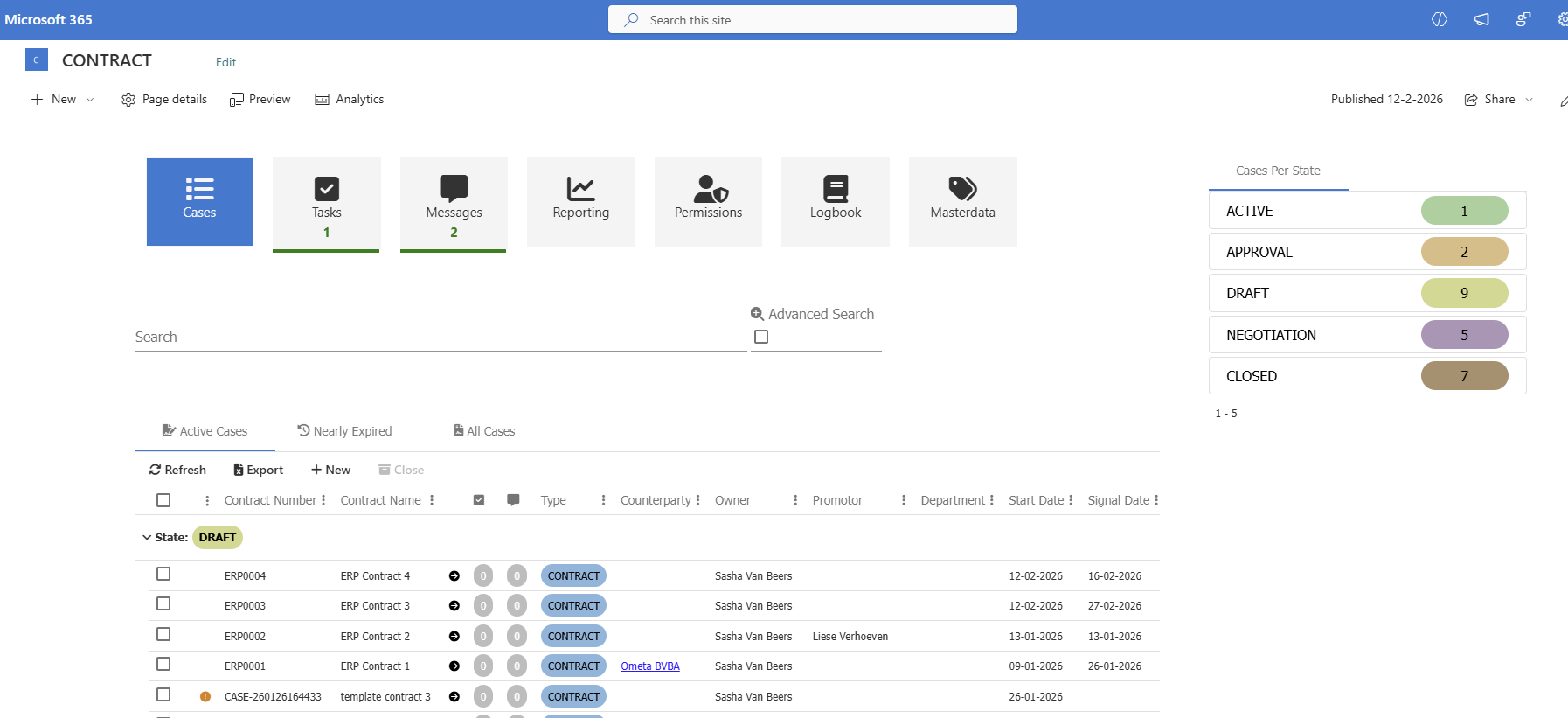
There are three overviews available on the landings page of the portal, Active, Nearly Expired and All Cases which only show contracts where you have permissions to.
The overview Nearly Expired is filtered on the Signal Date instead of the End Date.
Extra fields that can be viewed:
- Counterparty
- Promotor
- Department
- Signal Date
- Index Date
When you use Advanced Search and select My Cases Only it will filter the overviews with cases where you are Owner or Promotor of.
Create Or Update A Case
During case creation only the default fields can be entered.
The default Case Type is CONTRACT and has the following statuses:
- Draft
- Negotiation
- Approval
- Active
- Expired
- Closed
- Archived
Once this process is completed you can continue with filling in the custom properties by editing the case.
Cases that have required properties that are not yet filled will show a warning icon in front of the row that serves as a reminder.
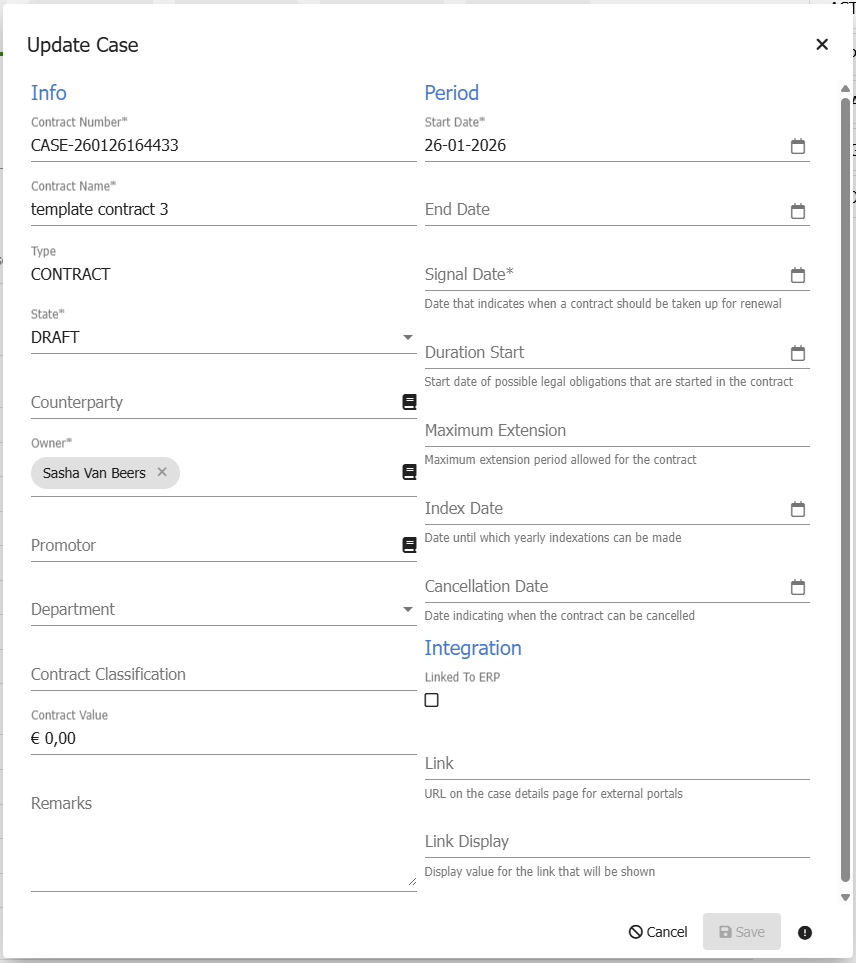
A few of these fields are linked to a data source:
- Counterparty > Legal Entity
- Department > Department
- Promotor > Ometa DCS Employees
Reporting
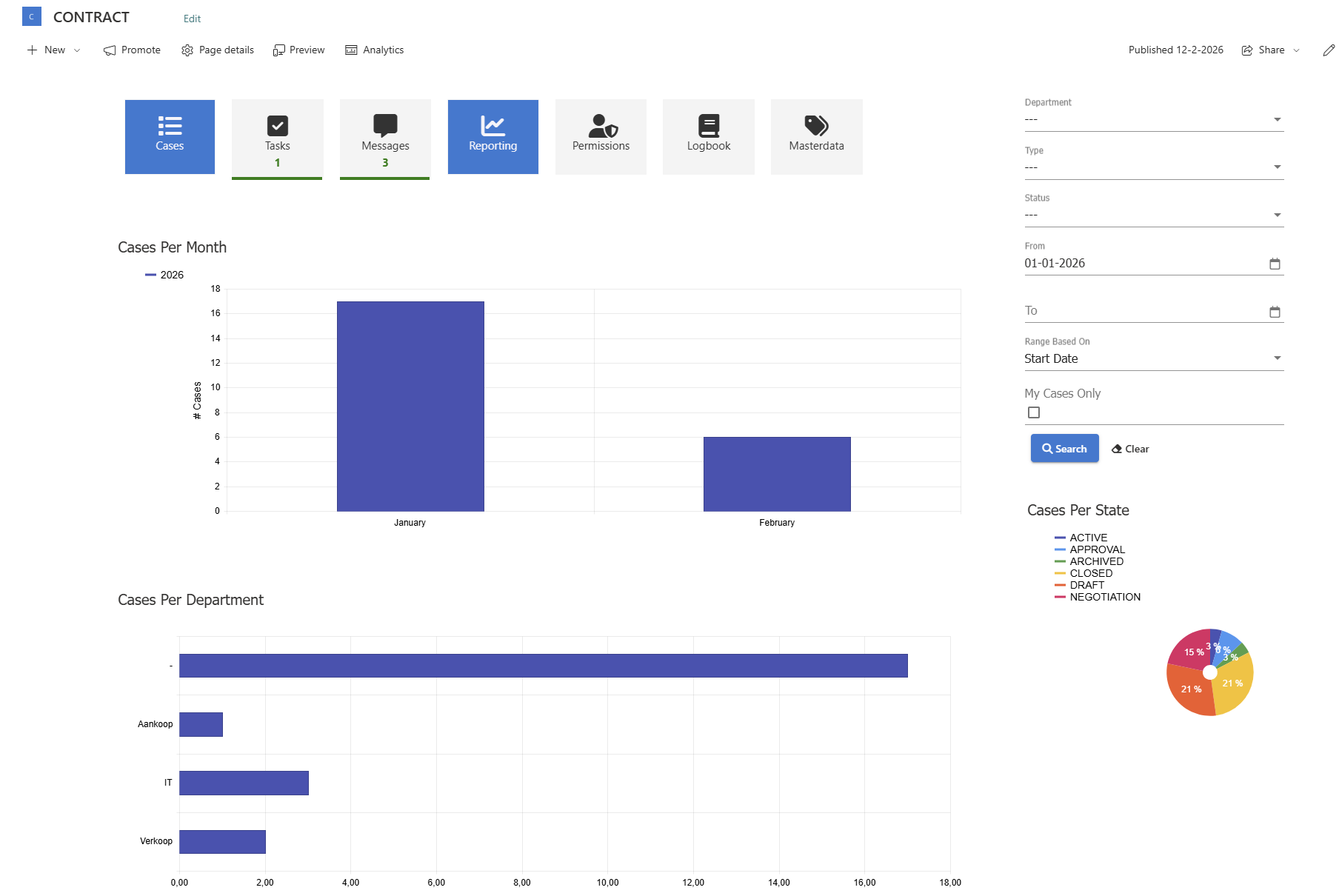
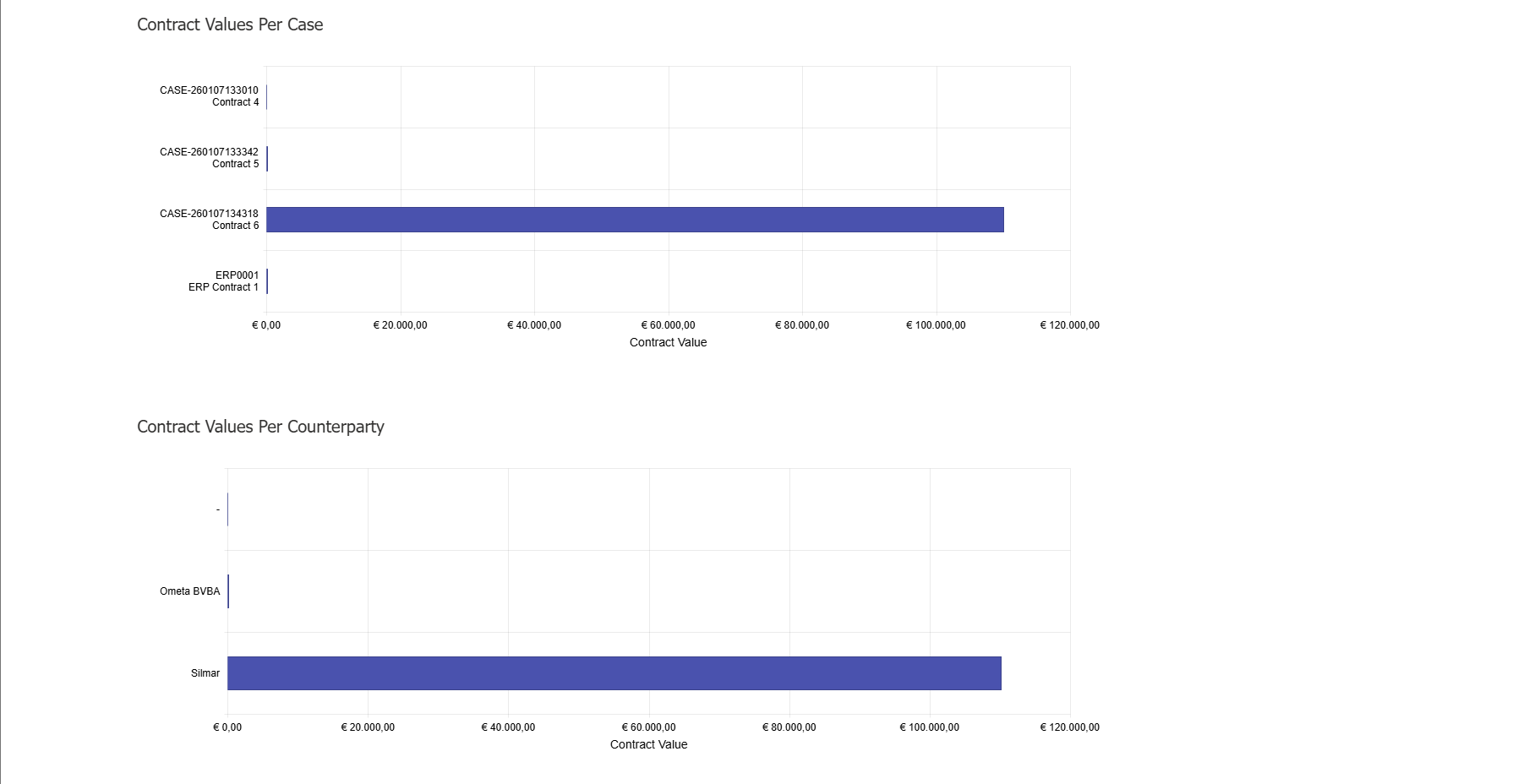
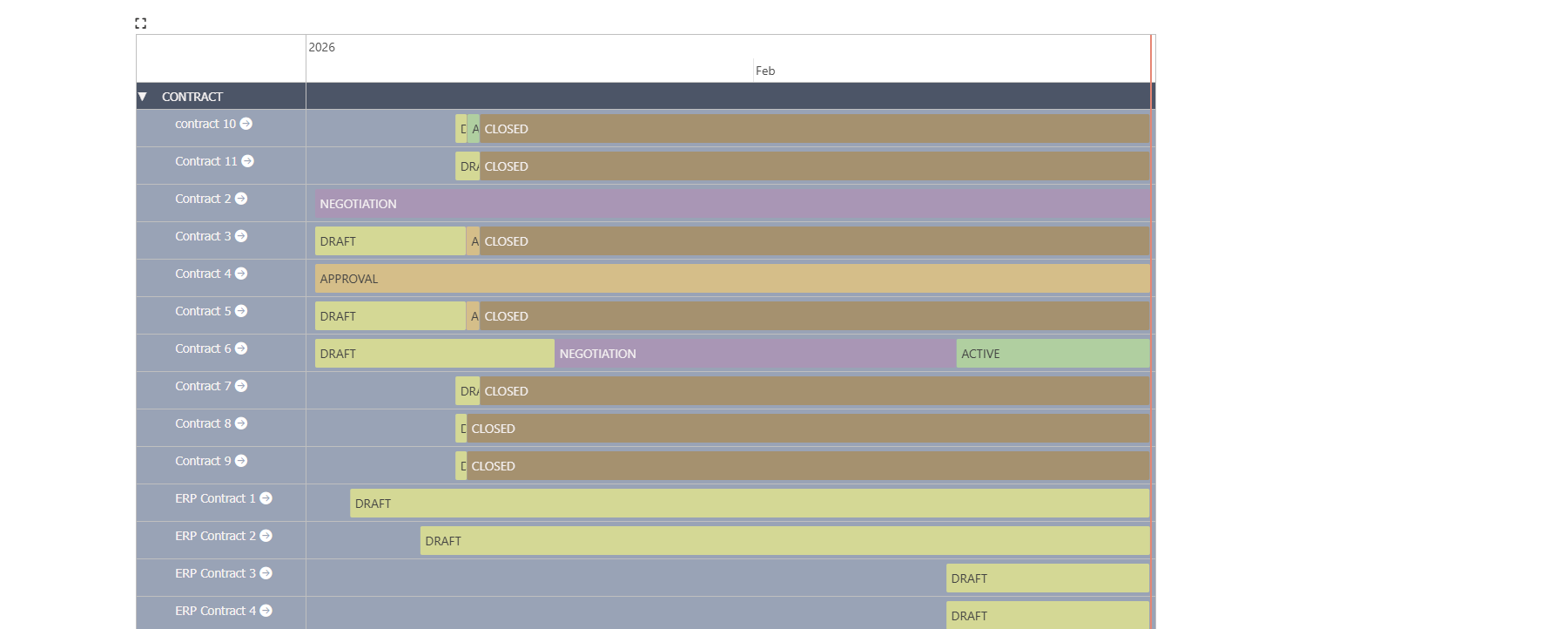
On the reporting page there are a few extra charts available.
- Cases Per Department
- Contract Values Per Case
- Contract Values Per Counterparty
The filter on the right is also extended with the option to filter on Department and the extra date fields.
Master Data
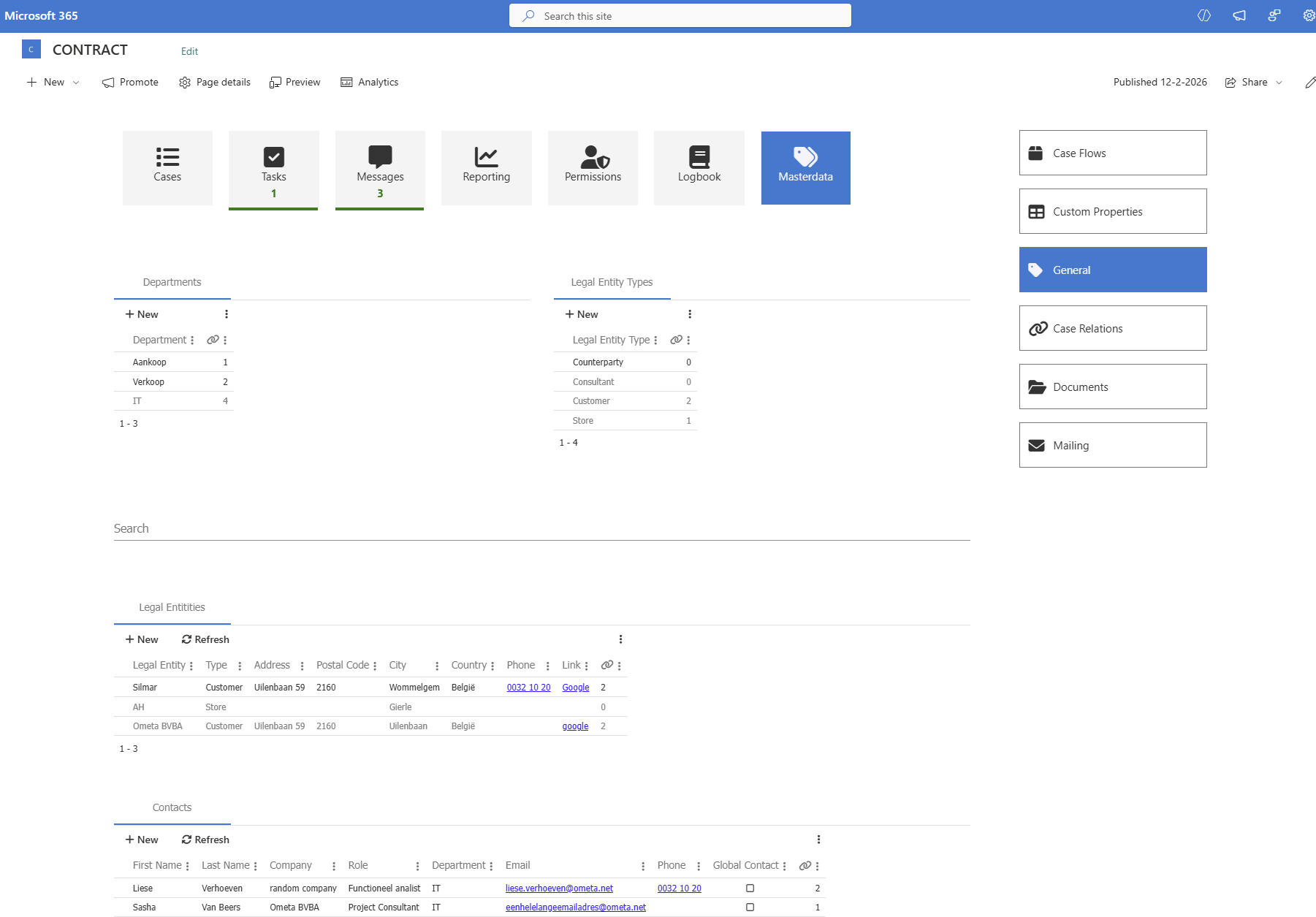
The data sources used in this portal can be managed in Master Data > General.
View the Master Data page in Configuration for more info.
Case Details
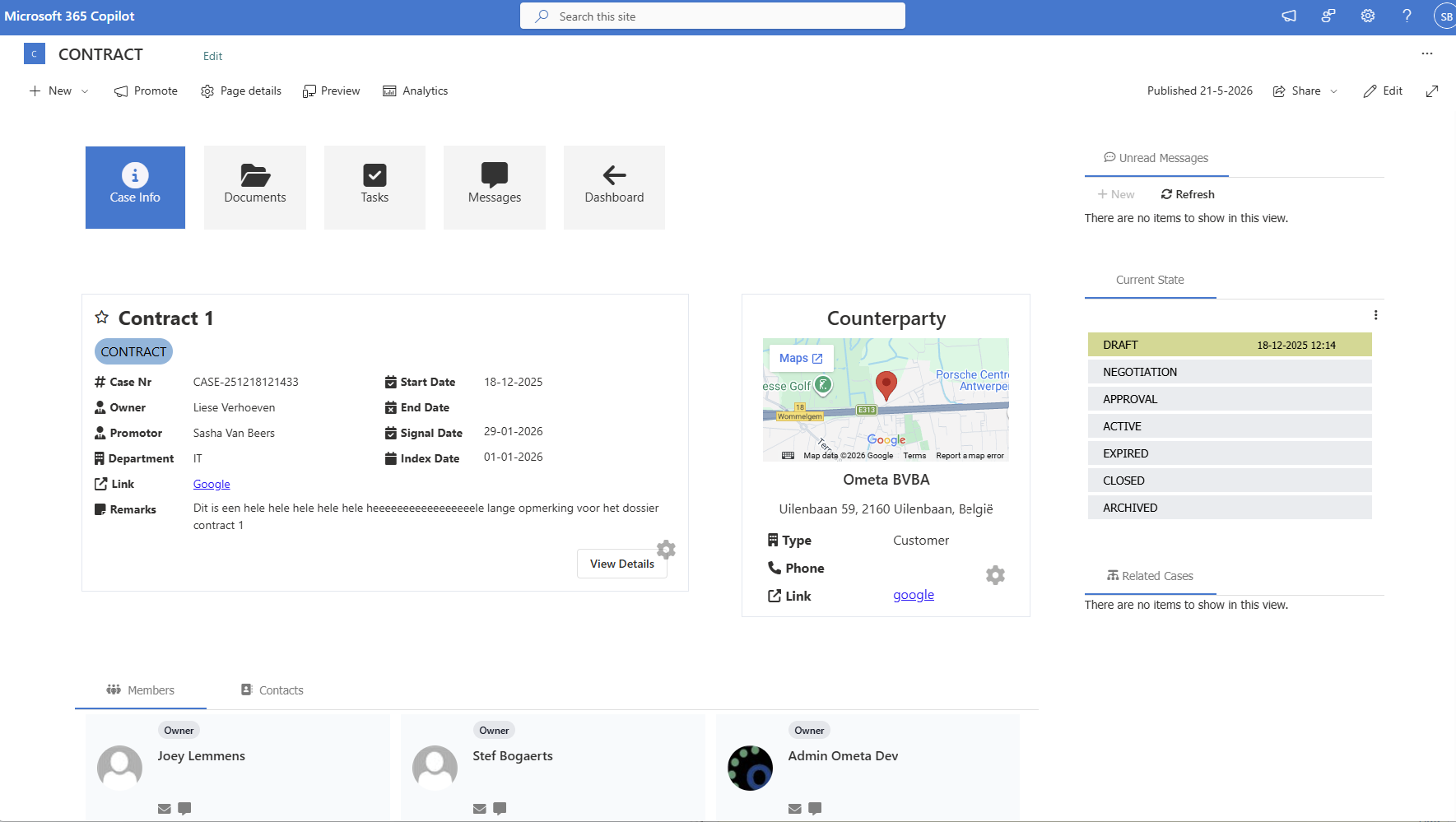
The contract details page shows the same info as the base template with the extension of the counterparty information.
Installation
You can import the template via the Solution Initialization of the Case Management solution.
The Portal Type CONTRACT will become available with its default flow and custom properties which you can adjust before deploying.
If you have an older version of the Contract Management solution which was not part of CMS yet, please consider cleaning that configuration (objects, lifecycles, lifecycle states,...) before installing the new version. Deploying over old configuration can cause unexpected behavior because of merged configuration.
Configuration
Portal Type
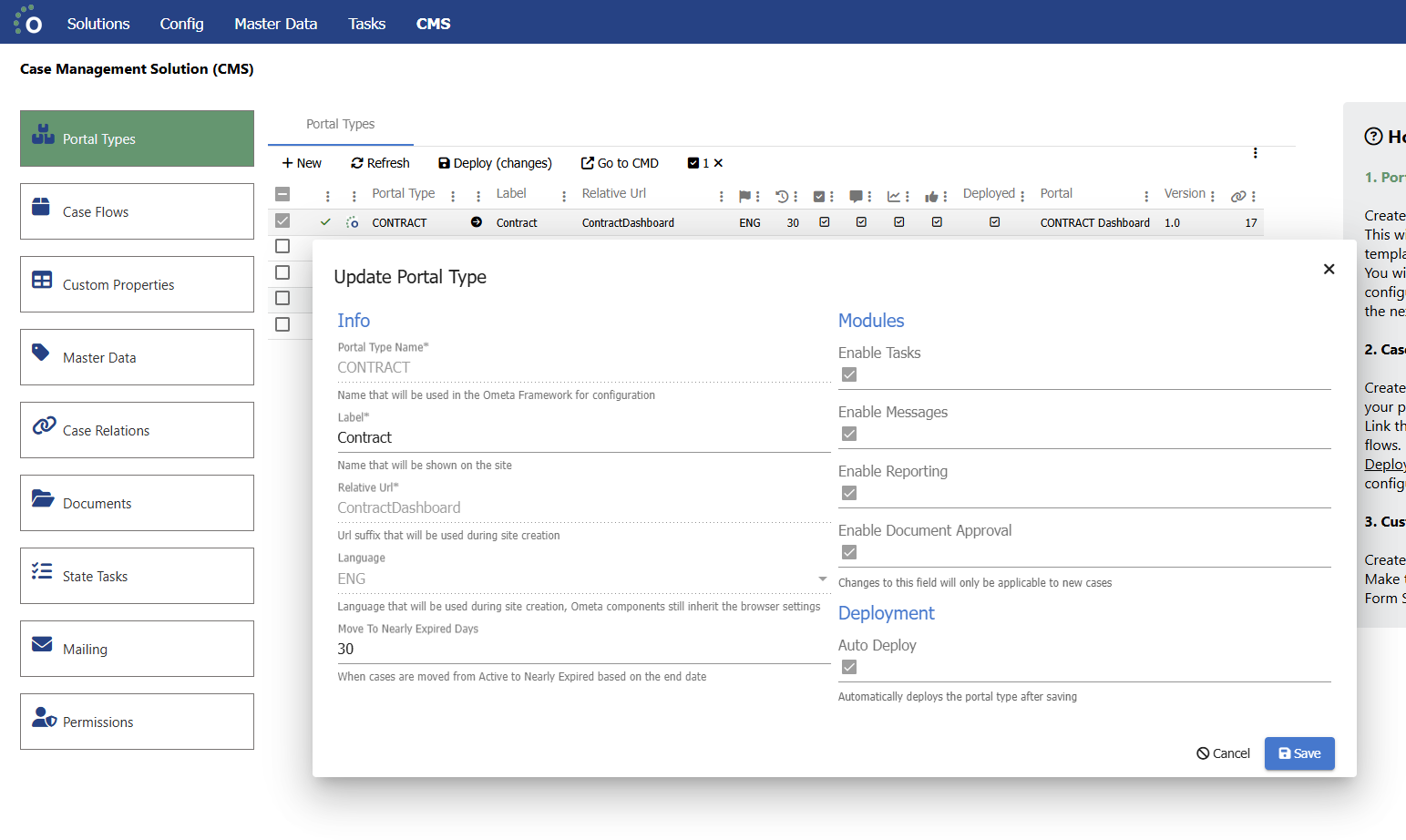
Before deploying it is possible to edit the portal type settings.
You can change the Label, Relative Url, Language, Move To Nearly Expired Days and unselect the modules you might not need.
Case Flow
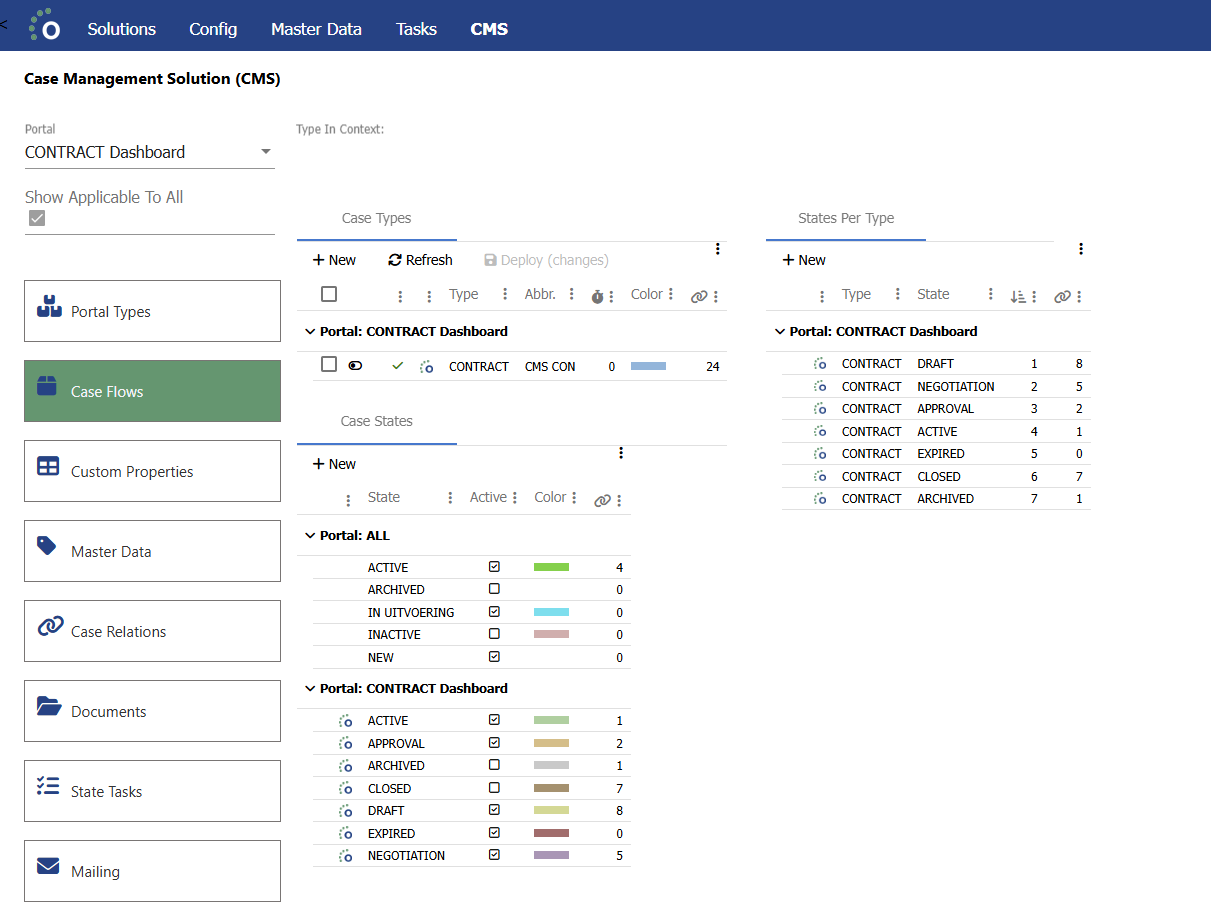
The default CONTRACT flow is available when the Portal Type is deployed. It is possible to edit the Name, Default Duration and Color.
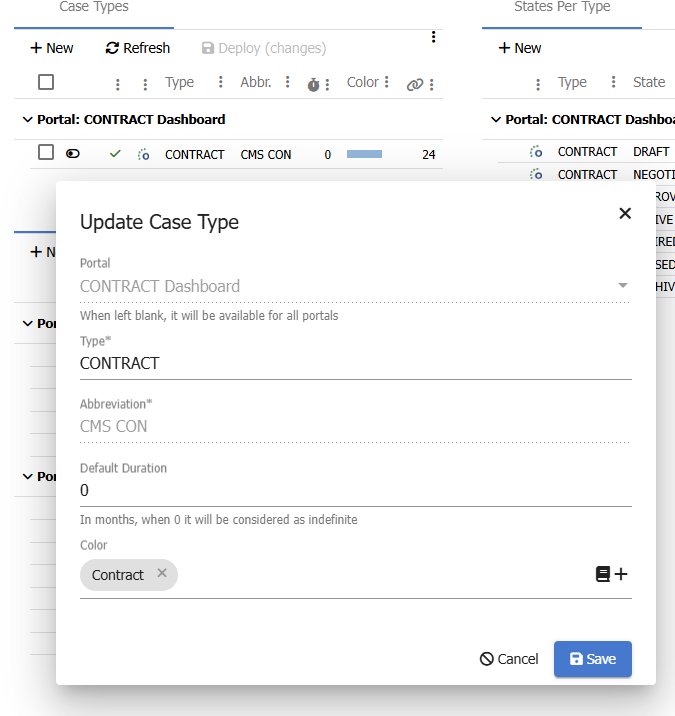
If the default flow does not fit your needs, you can create a new flow that Starts From the template flow and adjust that one.
Custom Properties
The Contract template has the following custom properties which are applicable to all its flows.
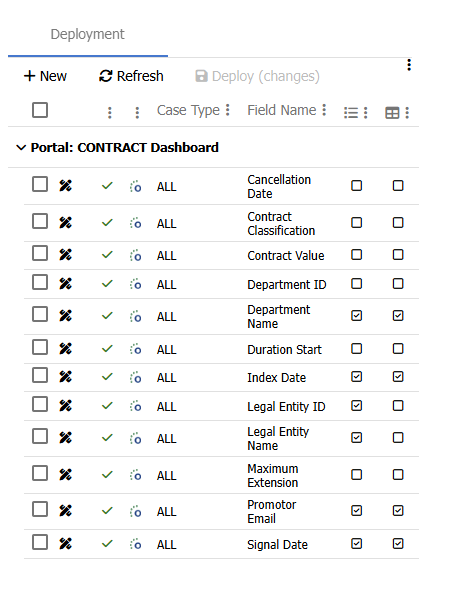
It is allowed to edit the Show In Overview or Show In Details, but it is not allowed to edit or delete anything else.
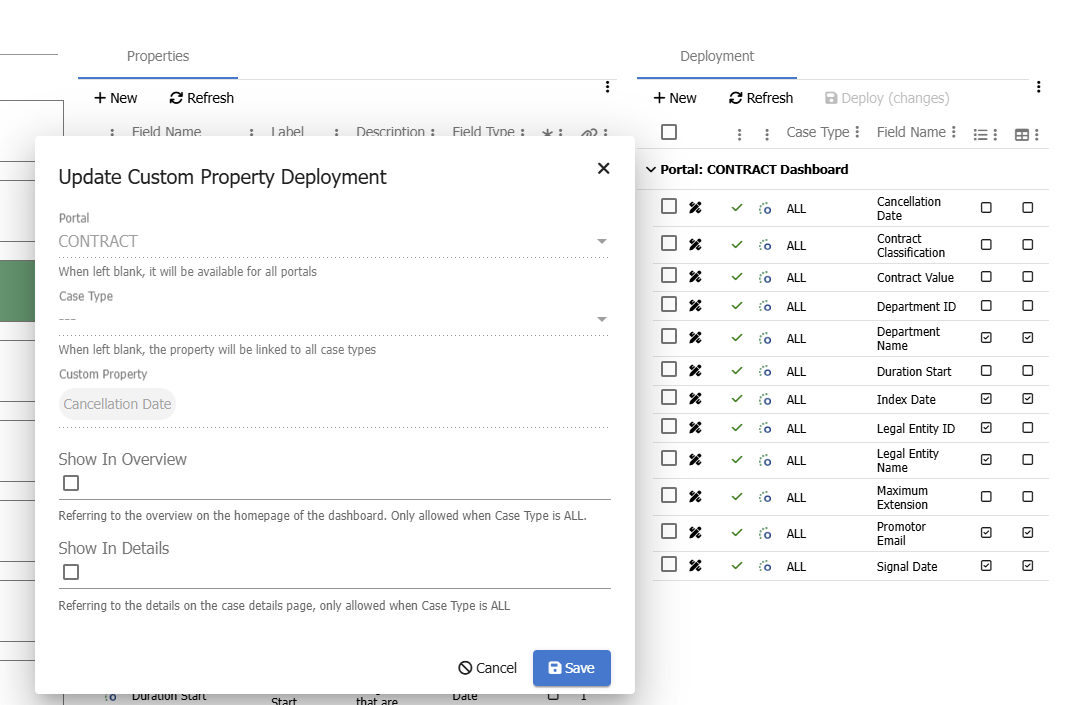
Also keep in mind here that if you add properties to the default CONTRACT or All Case Type(s), the default CONTRACT Case Type configuration will be overwritten in the framework during an upgrade and would need redeployment and customisations (if added) again.
It's also better to use specific case types or put the default CONTRACT flow as Inactive and only use your own flows which are started from the default template flow.
If you do not use the default CONTRACT flow you can ignore this statement.