Completing an Approval Task
When an approval has been assigned to you a task will be assigned to you. There are different ways you can process the approval.
1. Approval Mail
When a document approval is assigned to you you will receive an e-mail containing the details of the approval. Via the link on the document you can navigate to the document you're assigned to approve.
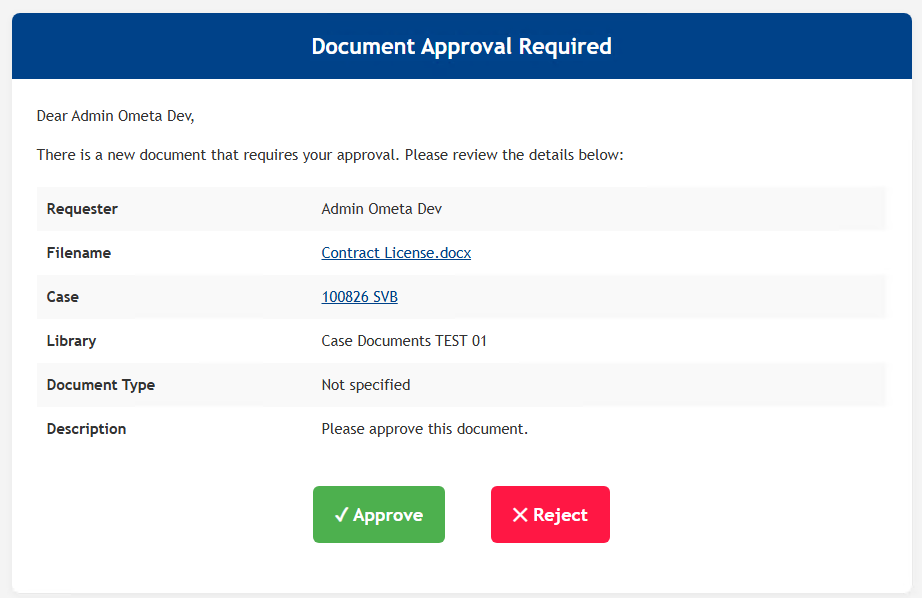
Depending on whether you have permission to the source case, the row 'Case' will be shown or not. Someone can approve a document on a specific case / site with no access to the other site contents, only to the document to approve. You can directly approve or reject the approval of this document via the Approve or Reject button.

2. Task Overview(s)
Depending on the how the approval is set you can also complete an approval task in the task overview(s).

The task overviews contain a link to the case (site) and the document (which will be opened in the browser). Depending on the due date of the task a different icon will be shown before the due date. Expired tasks will be shown in bold.
 : task has not expired and will not expire within a day.
 : task will expire within a day.
 : task has expired and will be displayed in bold.
Viewing Approval Details
You can view all details of the approval via the details button.

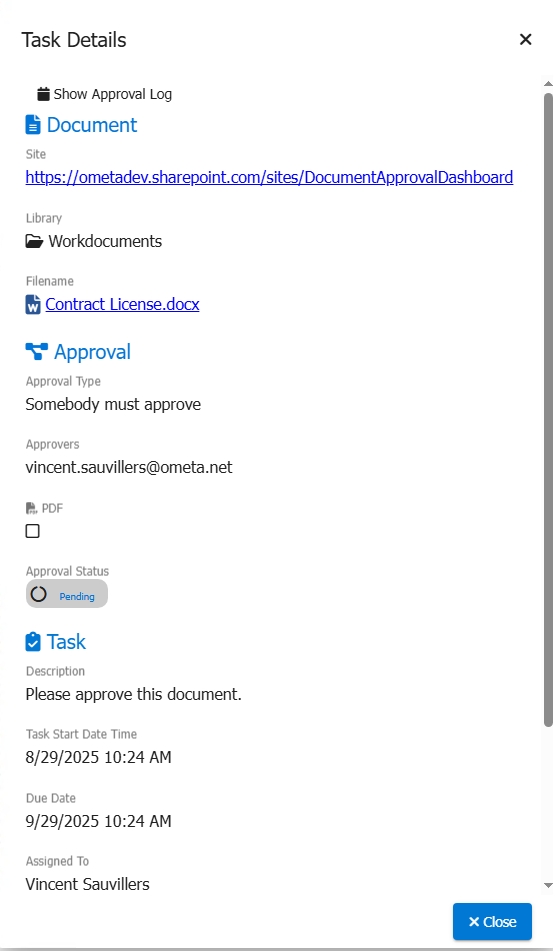
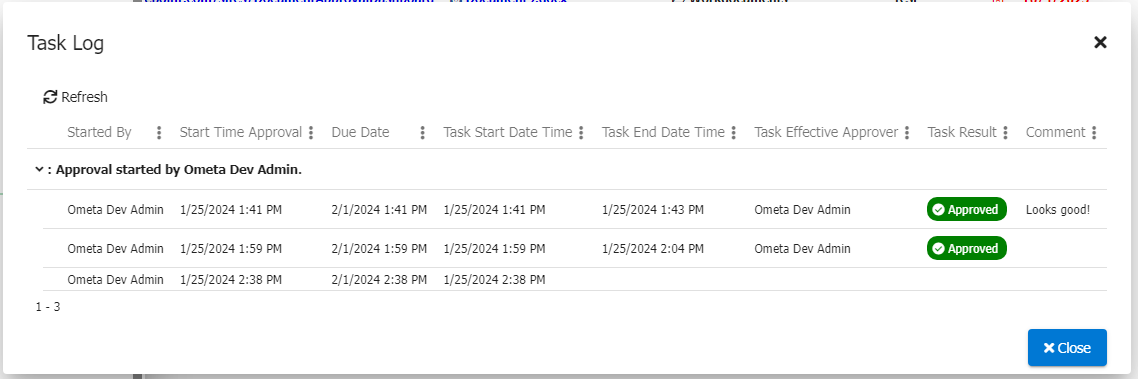
Via the Show Approval Log button you can view the current and earlier approvals for the document:
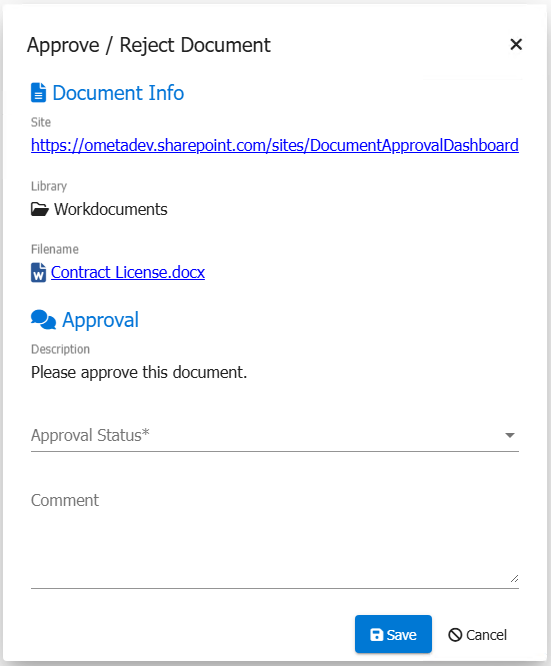
Approving / Rejecting the Document
The approval can be approved or rejected with the thumbs up button:

Reassigning the Task
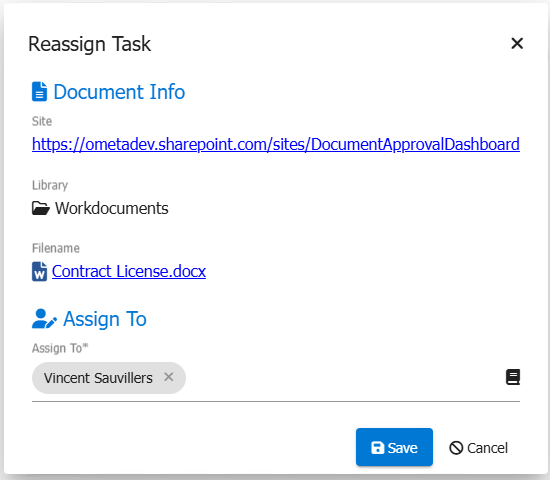
You can reassign tasks assigned to you to someone else. Click on the reassign button to assign the task to someone else when you're out of office or when the task was wrongly assigned for example.

Confirmation Mail
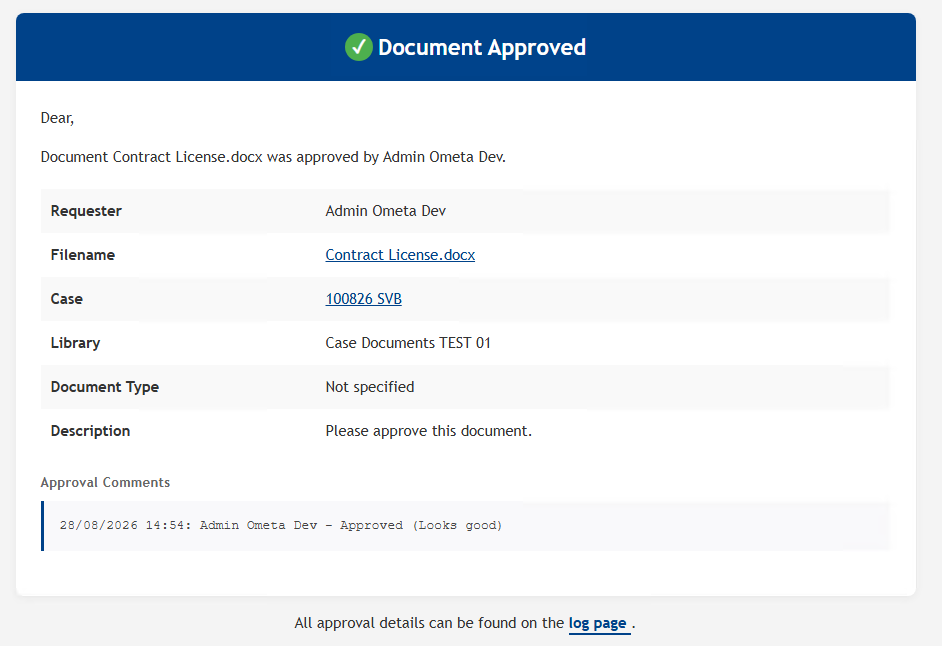
When an approval is approved or rejected you get a confirmation mail with the status and the approval comments. This mail will be send when the whole flow is completed.