Consulting the Approval Log
Each completed or open task can be consulted in the approval log of the document approval. You can navigate to the approval log by clicking on the approval status in the task overview or in the documents view.
Approval Log Page
On the approval log page you have two overviews.
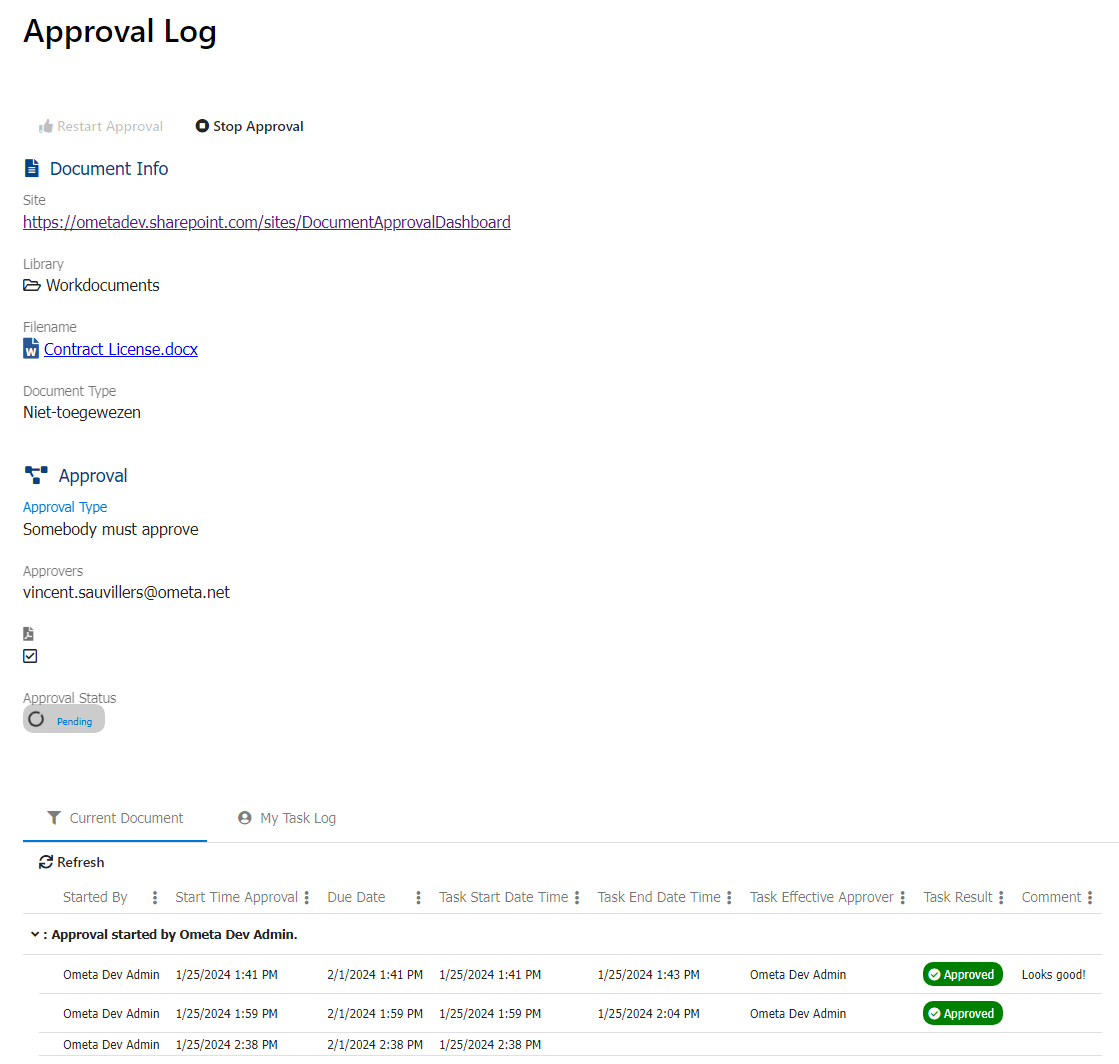
Current Approval Log Details
The top view shows the general document details with link and the basic approval details. On top of this view you have two buttons:
- Restart Approval: start the approval (again). Only available if no approval is running yet.
- Cancel Approval: cancels the approval if it is running. Only available if the approval is running.
Approval Log
At the bottom of page the approval log of the current document is shown. This overview contains the task from each assignee and from every approval for this document.
note
This also includes previous approvals from this document!
If the task is not completed yet no result will be shown. The overview shows the older tasks first.