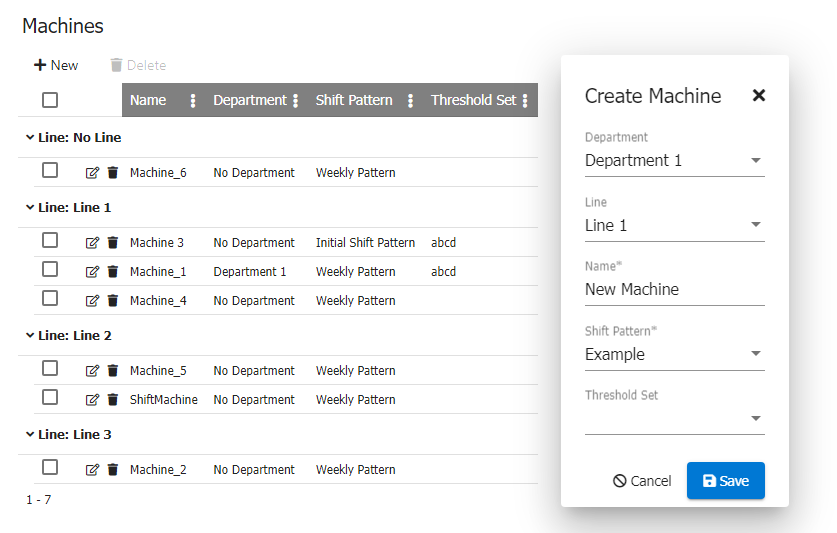
Machine
The plant management solution uses a predefined hierarchy of entities where each entity is contained in a higher up entity. The structure goes as follows:
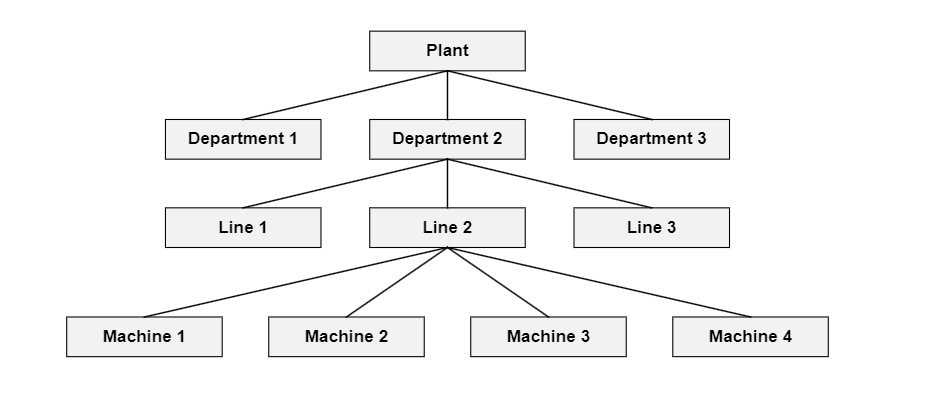
Dashboards are created at the plant level, so each plant is associated with one dashboard. Each plant can be split up into departments. Each department can contain zero or more lines and each line can be made up of one or more machines.
Machine
The lowest entity in the hierarchy is a machine. This is a single entity that produces items. It is at this level that data will be stored. A machine can be part of a line, but doesn't have to be part of one.
Defining the Hierarchy
- Department
- Line
- Machine
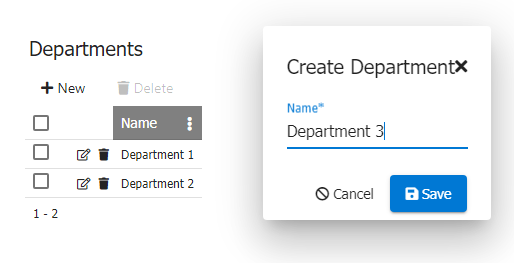
A user can define a new department by simply clicking on the new button and entering a name.
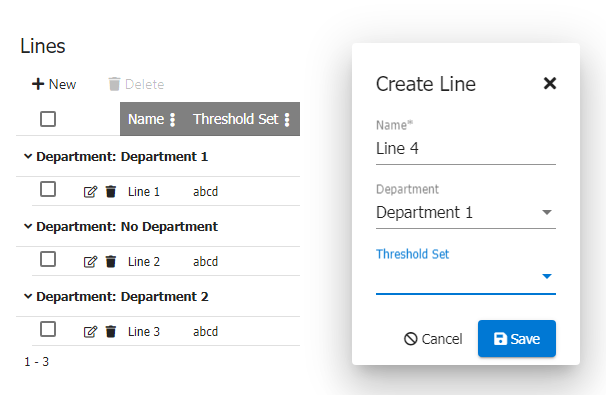
To define a new line, click the new button. A user can add a department to the line. This is not required, and lines can also exist without a department configured on them.
Lines can also have an optional Threshold Set defined on them.
To create a new machine, click the new button. A user can add a line to the machine. This is not required, and machines can also exist without a line configured on them.
A user is required to add a shift pattern. This shift pattern is used to split up any data into separate shifts as well as to determine the beginning and end of a day for this machine.
A machine can also have an optional Threshold Set defined on them. This threshold set will define which colors to use for which values on the machine details, daily and weekly operations and OEE pages.