Thresholds and Threshold Sets
Threshold sets allow users to configure different colors for KPIs based on their values. Thresholds override the base colors configured on the KPI if the value of that KPI falls within the configured values.
Threshold Sets
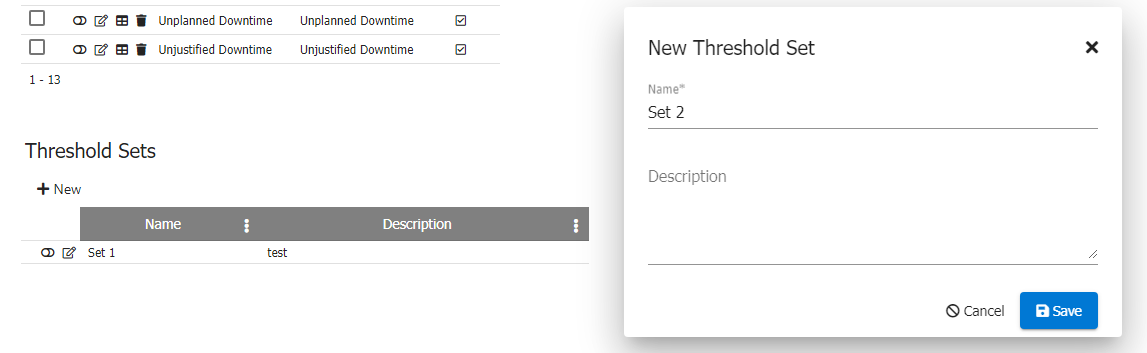
A threshold set combines multiple threshold definitions on multiple KPIs. These sets can be used by machines and lines to customize the formatting of KPIs at different values for those machines and lines. To start a new threshold set, simply click + New, enter a name and optionally a description, and click save.
Thresholds
Thresholds hold the actual configuration that defines what formatting a KPI should get at a specific value range. Each Kpi can have one or more thresholds configured on them per threshold set.
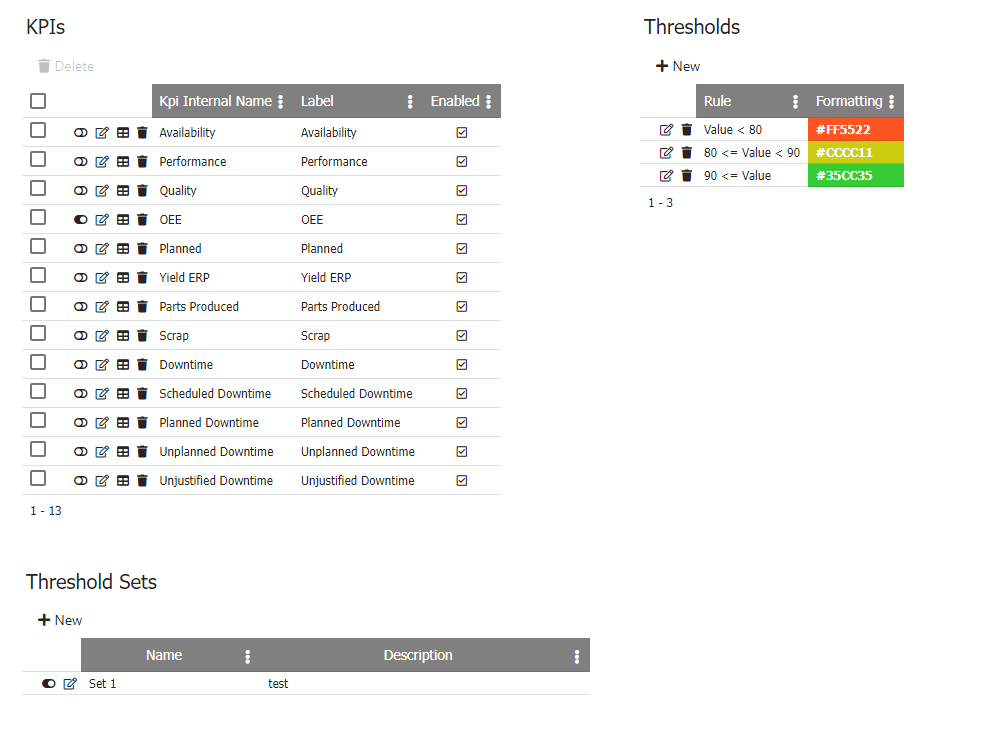
Thresholds are always percentages because absolute values can vary between dashboards and timeframes. The amount of pieces produced for a given shift will be smaller than the amount produced for an entire week. Because of this all absolute Kpi thresholds are calculated as a ratio to some other Kpi.
To create a new threshold, select the KPI and Threshold Set for which you want to create a new threshold and click the new button.
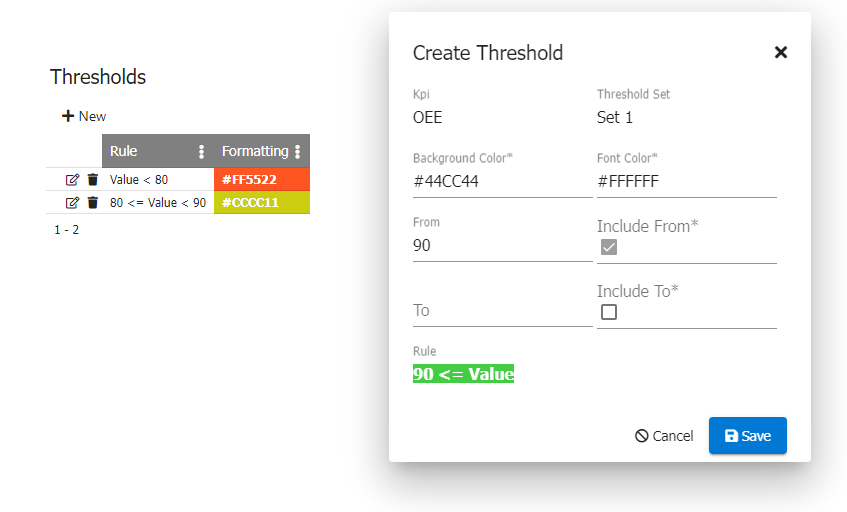
Each threshold has the following properties:
| Property | Required | Description |
|---|---|---|
| Background Color | ✔️ | The background color that is applied to elements for this threshold. |
| Font Color | ✔️ | The font color that is applied to elements for this threshold. |
| From | Optional lower bound for the threshold. If no value is entered, the lower bound will be -infinity. | |
| Include From | If the lower bound should be included or not. If true, values equal to the lower bound trigger this threshold. If false they don't. | |
| To | Optional upper bound for the threshold. If no value is entered, the upper bound will be infinity. | |
| Include To | If the upper bound should be included or not. If true, values equal to the upper bound trigger this threshold. If false they don't. | |
| KPI | Readonly indicator of what KPI this threshold will impact. | |
| Threshold Set | Threshold Set to which this Threshold belongs. |
Threshold Behavior
When a threshold set for a KPI is applied, it will use the following logic to determine the correct threshold:
- The value falls within a configured threshold range
- Only one threshold matches => Use that threshold.
- More than one threshold matches => A random threshold will be used from the list of matching thresholds.
- The value does not fall within a configured threshold range
- Fall back to the formatting defined on the KPI itself.