Reasons
The solution allows users to assign downtime reasons to stops and scrap reasons to scrap. These reasons can be configured on the master data dashboard.
Downtime
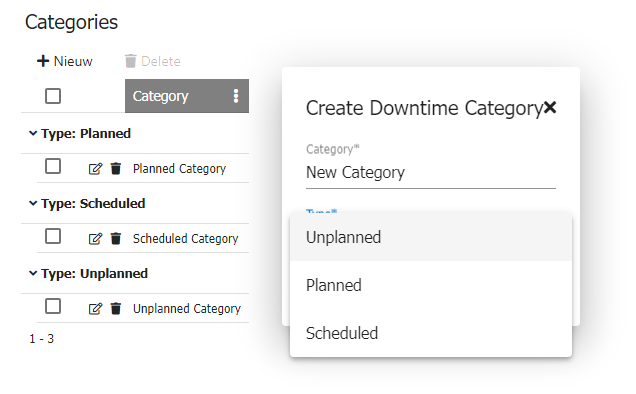
Downtime reasons can be used to update the reasons for stops. Reasons are grouped by categories and categories are one of three types, either scheduled, planned or unplanned. When a reason is configured in the master data dashboard, it will only be available for the plant to which the dashboard belongs.
- Category Type
- Category
- Reason
Each category is assigned a type, which will have an impact on any filters and pickers in the system as well as if the stop is included in OEE Calculations or not.
| Type | Included in OEE | Description | Example |
|---|---|---|---|
| Unplanned | ✔️ | Any stops that are not expected. | Electrical failure, no material |
| Planned | ✔️ | Any stops that are expected but should be minimised in frequence and time. | Changeover, planned maintenance |
| Scheduled | Any stops that are expected and scheduled. | Breaks, No Production Orders |
A category is simply a grouping of reasons. Each category should have a type and a required name.
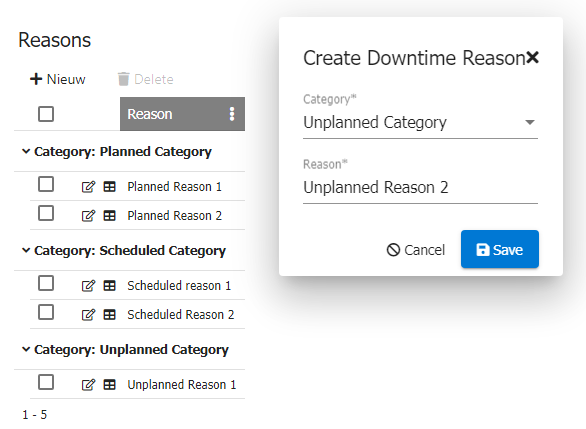
Downtime reasons are created to get more clarity on why a machine was stopped. Each reason should have a category and a name.
Scrap
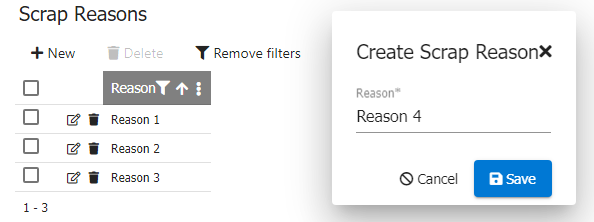
Scrap reasons give more information about why scrap was created. This gives an overview of possible action points to reduce any scrap in the future. When a reason is configured in the master data dashboard, it will only be available for the plant to which the dashboard belongs.
Scrap reasons only need a required name.