Daily & Weekly Operations
The daily and weekly operations pages show all KPIs for all lines/machines in one quick overview. By combining these overviews with thresholds users get a one stop overview of which lines/machines performed well and which might require attention.
Both the daily and weekly operations show the same overview. The only difference is the scope of time, where daily operations shows the KPIs on a daily level while the Weekly overview shows the same KPIs at a weekly level.
- Daily Operations
- Weekly Operations
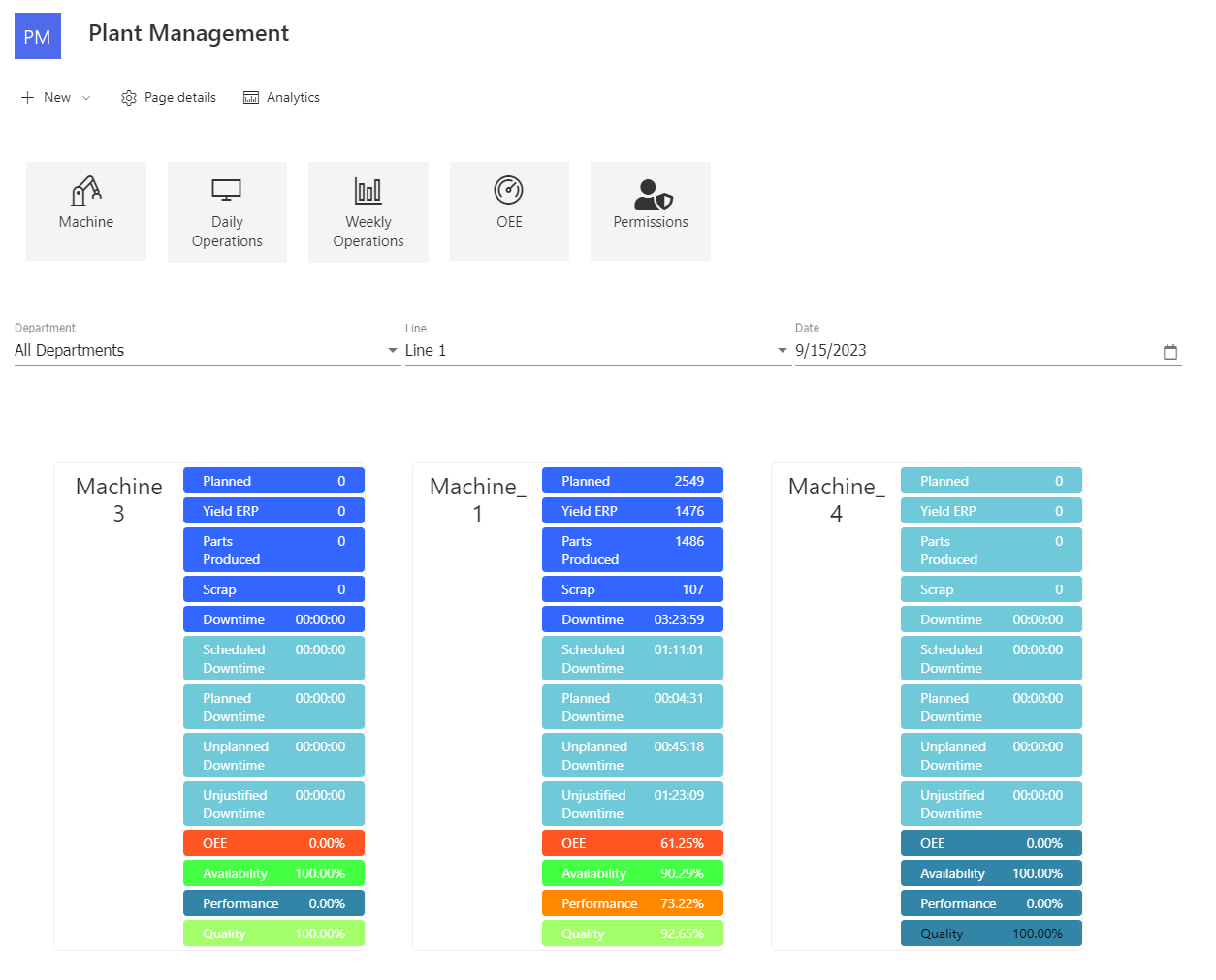
The daily operations view shows all kpis for the selected lines/machines for the selected day. The beginning and end of the day is determined by the beginning of the first shift and the end of the last shift for each line/machine individually.
The weekly operations view shows all kpis for the selected lines/machines for the selected week. The beginning and end of each week is determined by the beginning of the first shift and the end of the last shift for each line/machine individually.
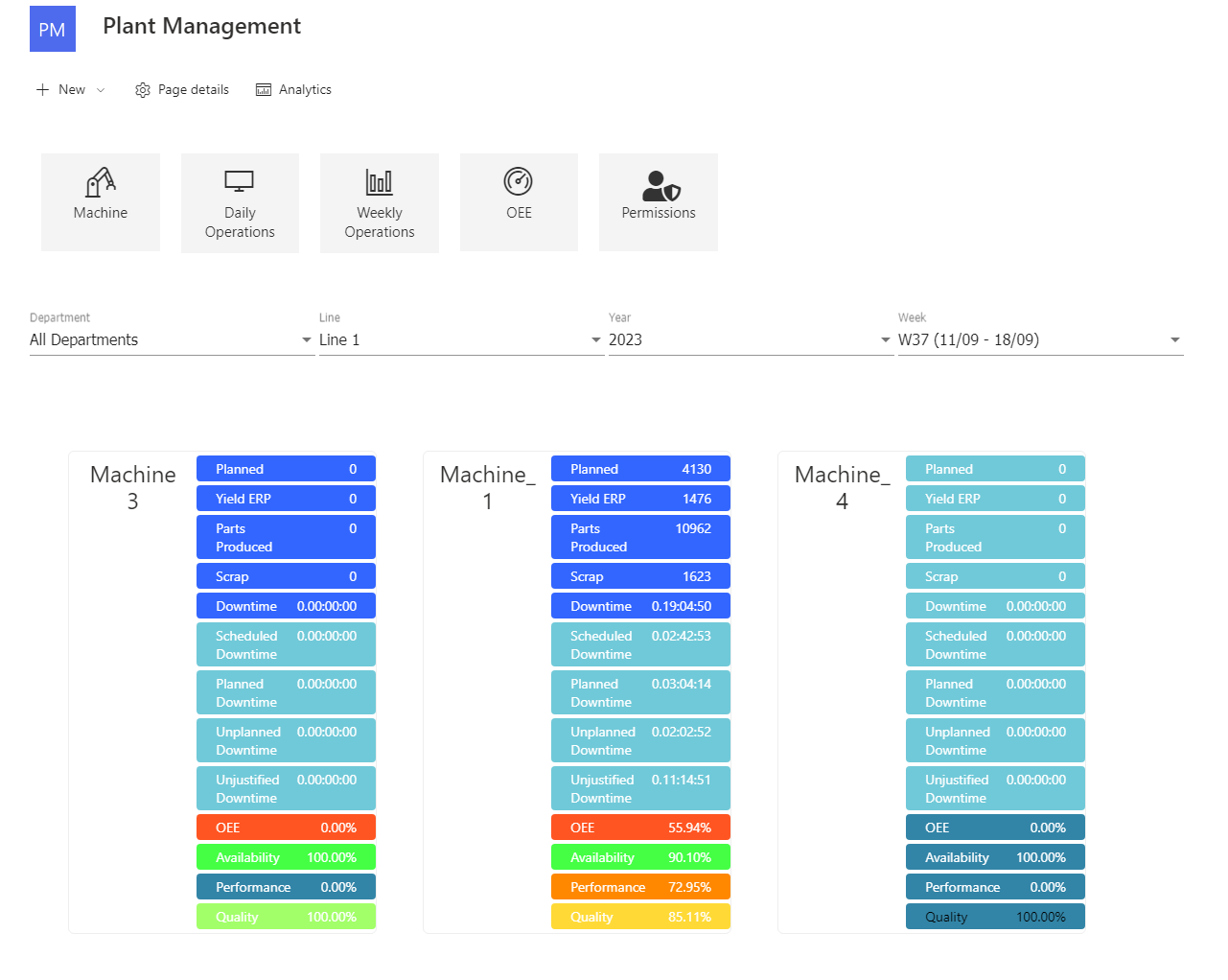
Weeks follow the ISO conventions. The ISO week numbering system assigns a unique week number to each week of the year, with weeks beginning on Monday and the first week containing the year's first Thursday.
Line vs Machine
With the filter at the top of the page, a user can choose between showing information at a line level or at a machine level. If a user selects the option "All Lines", all lines with their aggregated kpis will be shown. When a specific line or "No Line" is picked, all machines configured on the selected line or all machines that have no line assigned to them will be shown instead.
The Department filter is used to limit any available lines in the Line filter and the lines displayed when selecting "All Lines".
- Line
- Machine
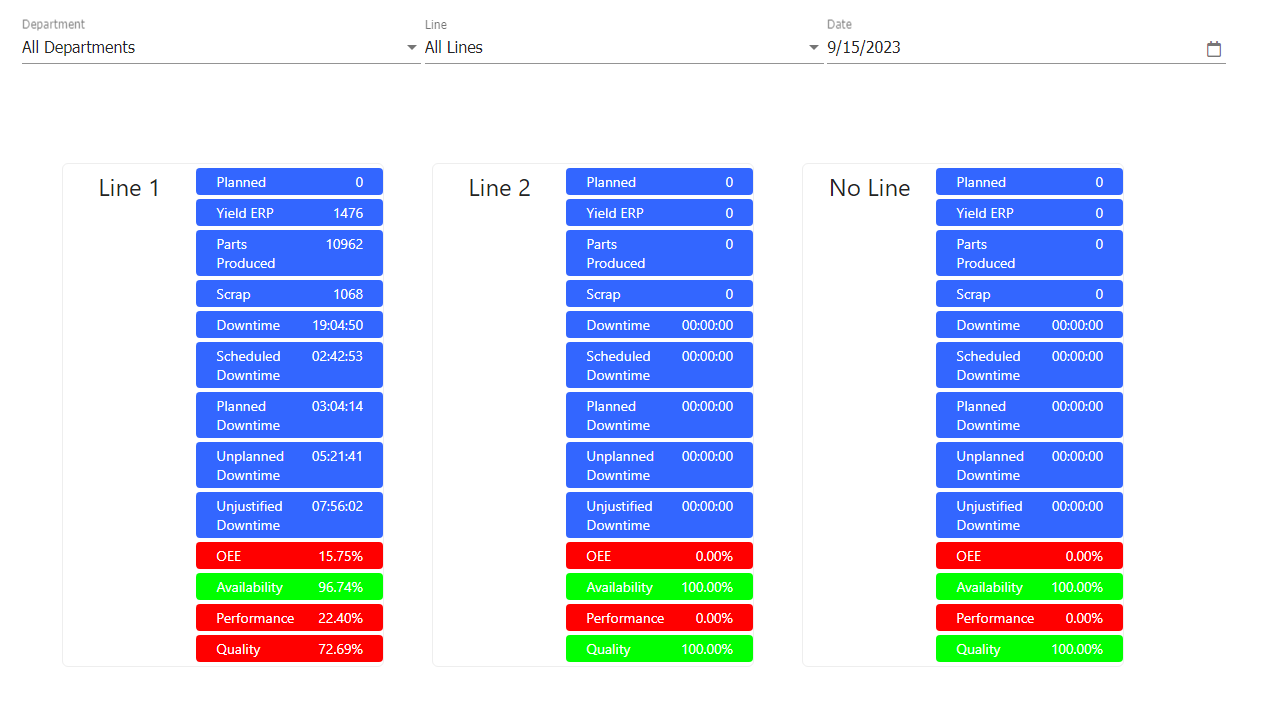
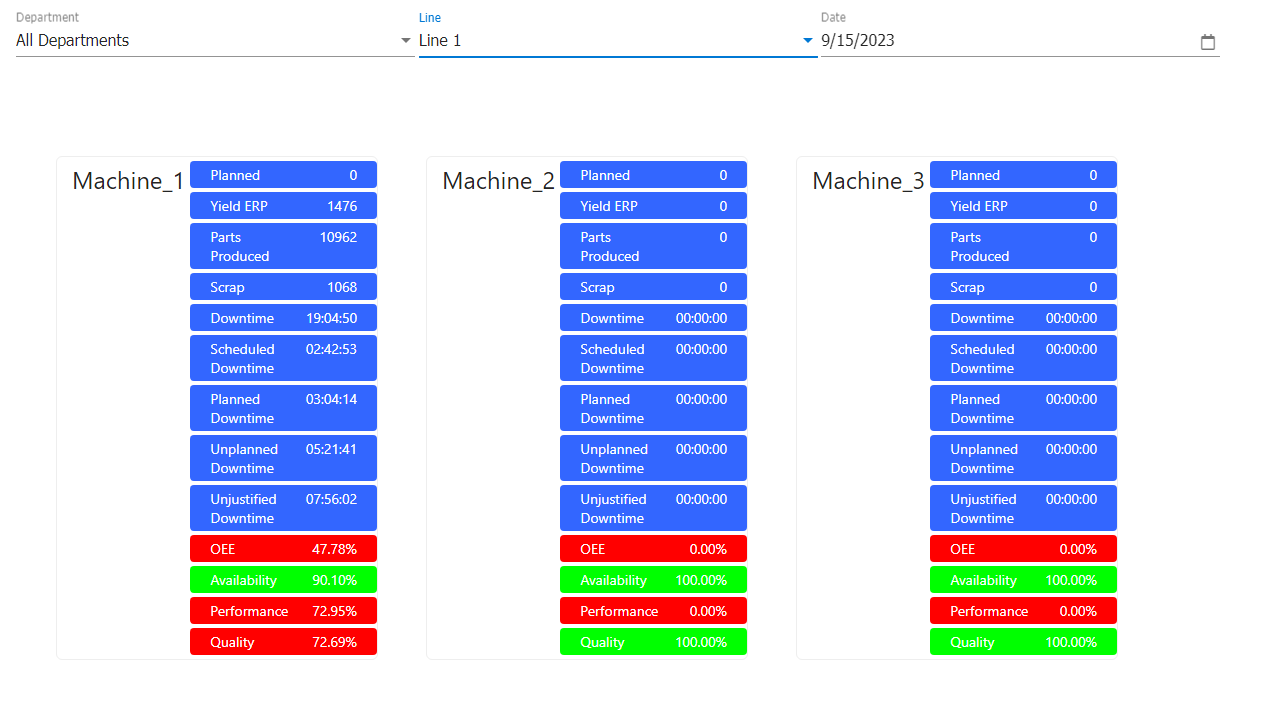
When clicking on a line card, that line will be selected as the filter and the machines configured on that line will be shown. When clicking on a machine, a user will be redirected to the machine details page for that machine for the selected date.
Custom KPIs
By default the tiles show all available system KPIs. Any enabled custom KPIs will also be shown. When a user clicks on a custom KPI for a machine, context is added to the url before redirecting.
- Daily
- Weekly
Clicking on a custom KPI on the daily operations view adds the following context:
- OmetaFieldKPI: The KPI Label of the kpi that was clicked
- OmetaFieldMachineID: The machine identifier of the machine that is currently selected
- OmetaFieldDate: The date that was selected
- OmetaFieldPeriod: The selected period (one of a shift, day, week or month). Constant value of "Day"
- OmetaFieldPeriodType: A distinguisher between "shift" and one of "day", "week" or "month". This field indicates if a shift was selected or not. Constant value of "Day"
Clicking on a custom KPI on the weekly operations view adds the following context:
- OmetaFieldKPI: The KPI Label of the kpi that was clicked
- OmetaFieldMachineID: The machine identifier of the machine that is currently selected
- OmetaFieldYear: The year that was selected
- OmetaFieldWeek: The ISO_Week that was selected
- OmetaFieldDate: The date that corresponds with monday for the selected week
- OmetaFieldPeriod: The selected period (one of a shift, day, week or month). Constant value of "Week"
- OmetaFieldPeriodType: A distinguisher between "shift" and one of "day", "week" or "month". This field indicates if a shift was selected or not. Constant value of "Week"