Quality Controls
What Are Quality Controls ?
A quality control definition contains the configuration for a specific quality check. When raised, the end user has to provide input to fulfill the quality check. The input can be a visual check, a weight value or a value retrieved from an OPC UA-linked machine.
Configuring a Quality Control
Quality Controls can be managed in the ´Definitions´-section of the solution.
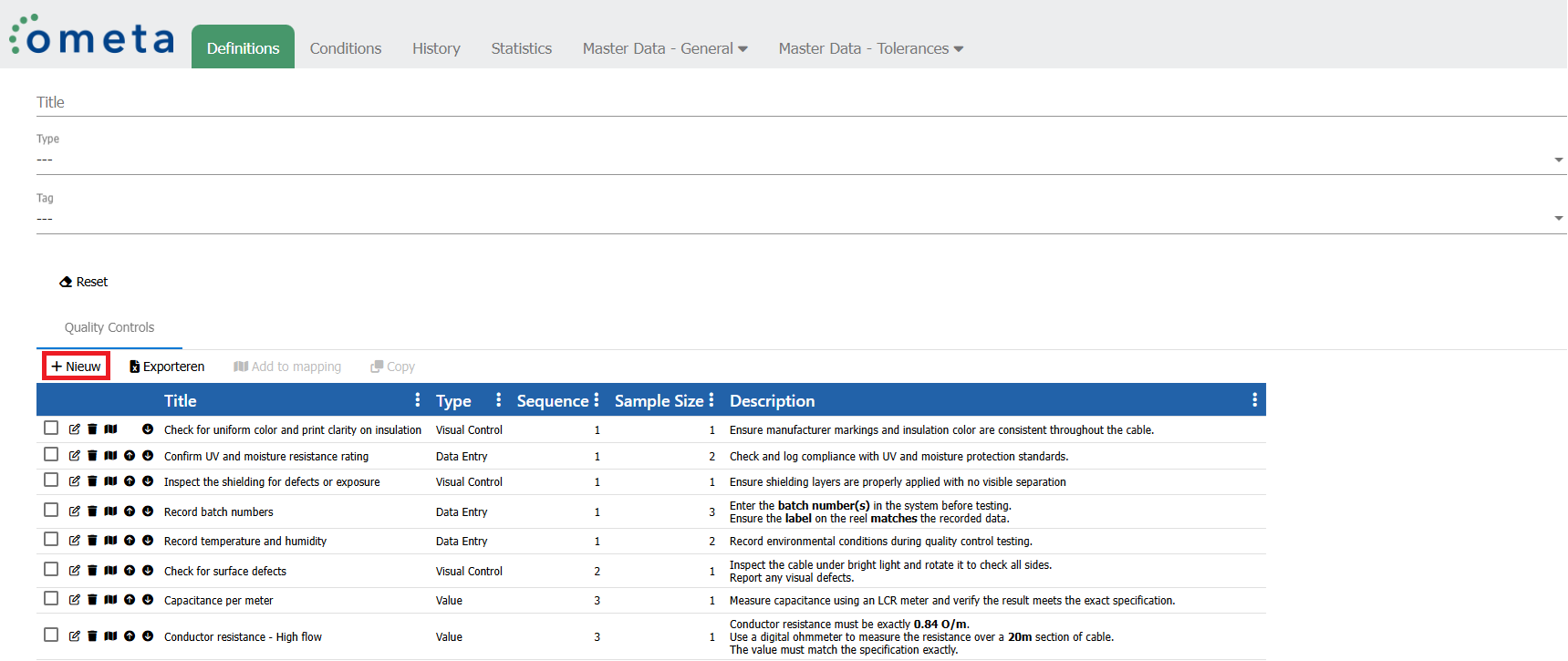
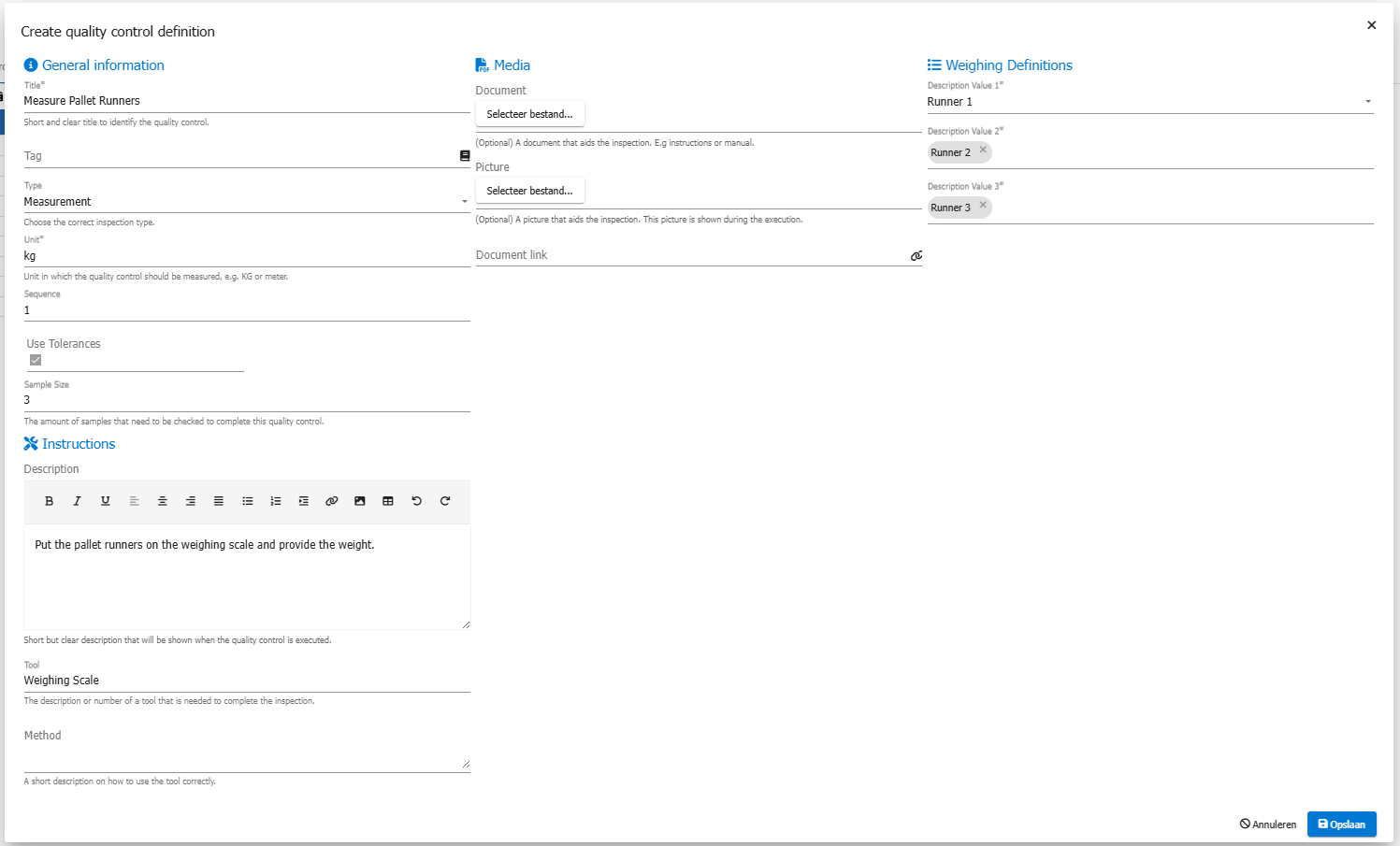
Creating a new quality control, requires the user to configure a number of fields:
- Fields
- Example
| Field | Required | Description |
|---|---|---|
| Title | ✔️ | A name for the new quality control. |
| Type | One of five quality control types, which will be explained below. | |
| Unit | The unit for the value(s) to be entered by the end user. Only visible when selecting type Measurement or Value. | |
| Sequence | ✔️ | The sequence number for the QC, determining the order in which multiple QC's are being presented to the user. |
| Value | Only visible when selecting type Value. Contains the value to check against value(s) entered by the end user. | |
| Min | Only visible when selecting type Measurement. Contains the minimum value to check against value(s) entered by the end user. | |
| Max | Only visible when selecting type Measurement. Contains the maximum value to check against value(s) entered by the end user. | |
| Use Tolerances | Only visible when selecting type Measurement. When enabled, tolerances that are configured in the quality system will be used to check the value(s) entered by the end user. | |
| Sample Size | ✔️ | The amount of questions that the end user needs to answer |
| Description | A textual description to inform the end user what to do to execute the quality control. | |
| Tool | Optional list of one or more tools which the end user will use to execute the quality control. | |
| Document | An optional uploaded document, which provides information for the end user to execute the quality control. | |
| Picture | An optional image, which provides information for the end user to execute the quality control. | |
| Document Link | Link to a document, which provides information for the end user to execute the quality control. | |
| Description Values | ✔️ | Required descriptions for each of the questions asked in this quality control. |
Quality Control Types
As stated, five different quality control types exist:
| Type | Description |
|---|---|
| Visual Control | The user needs to do a visual control, and confirm / disprove the check. |
| Measurement | The user needs to enter value(s), the value should be between the lower and upper bound for the quality control to be passed. |
| Value | The user needs to enter value(s), which all have to be equal a given value for the quality control to be passed. |
| Data Entry | The user needs to enter value(s); no checks are done on passing or failing the quality control. |
| Opc Ua Value | A link to an Opc Ua-enabled machine can be set up, so that the value(s) are automatically fetched from the machine. This can be a weighing scale that passes its value to Ometa; the user just needs to verify that the received value is in line with the value on the weighing scale. |