Stops
The stops section gives an overview of all stops for a given machine on a given day/week in three different views.
Timeline
The first stop view is the timeline. This chart shows a timeline of when the machine was running and when it stopped. By hovering over a stop, a user can see when that stop started and ended as well as the stop reason if there is any.
The chart is color-coded as follows:
- Green: The machine was running
- Blue: The machine was stopped and the stop was assigned a scheduled reason
- Yellow: The machine was stopped and the stop was assigned a planned reason
- Red: The machine was stopped and the stop was assigned an unplanned reason or has no reason assigned to it
To keep this chart performant, all short stops are filtered out. Filtering out these short stops can result in empty blocks where no data is shown.

Stop Details
The second view shows the actual stops in three different ways. These views also allow users to update downtime reasons and descriptions.
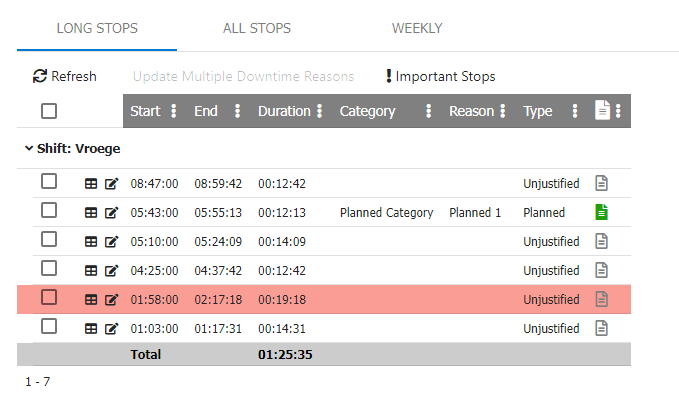
In the Long Stops and All Stops views, stops longer than the long stop threshold are colored red.
- Long Stops
- All Stops
- Weekly overview
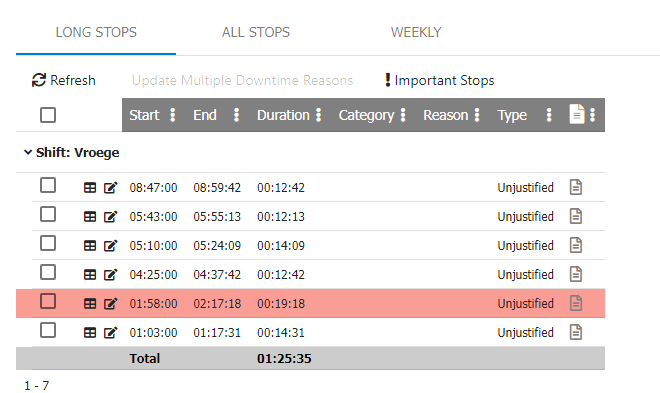
The long stops view shows a filtered view of all stops per shift for the selected day. Only stops longer than the short stop threshold are shown, similarly to the timeline chart.
This view can be filtered even more to only show stops longer than the long stop threshold by clicking the !Important Stops function.
This view shows all stops per shift for the selected day. this gives a user the highest level of detail for downtime.
If a downtime has a description entered it will show a colored document icon on that line.
Updating Stops
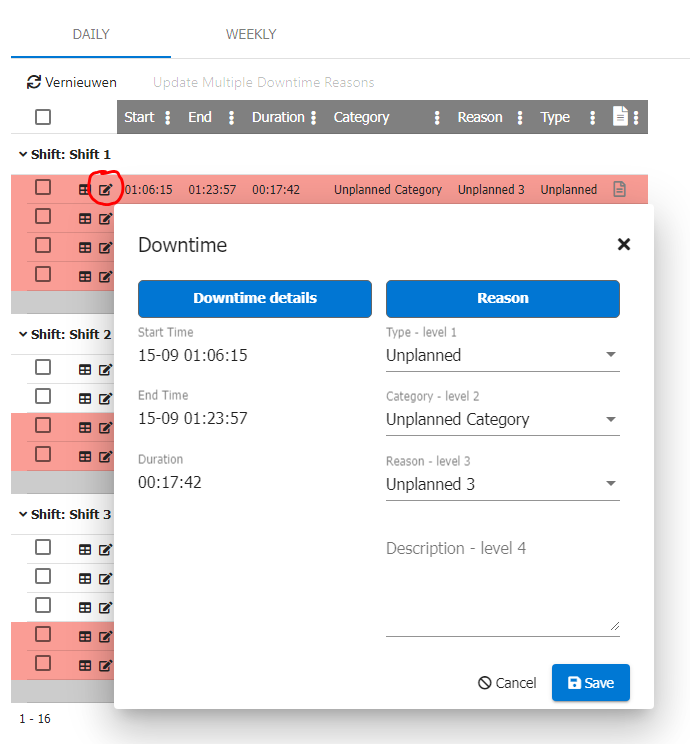
The Long Stop and All Stops views allow a user to update the stop category, reason and description by clicking on the update button.
- Click Update
- Enter Values
- Validate Results
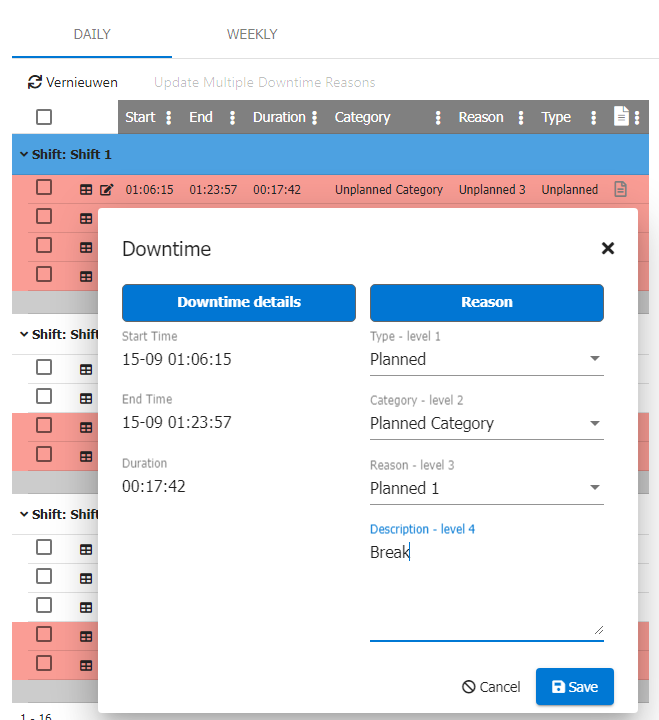

Weekly Stop Graph
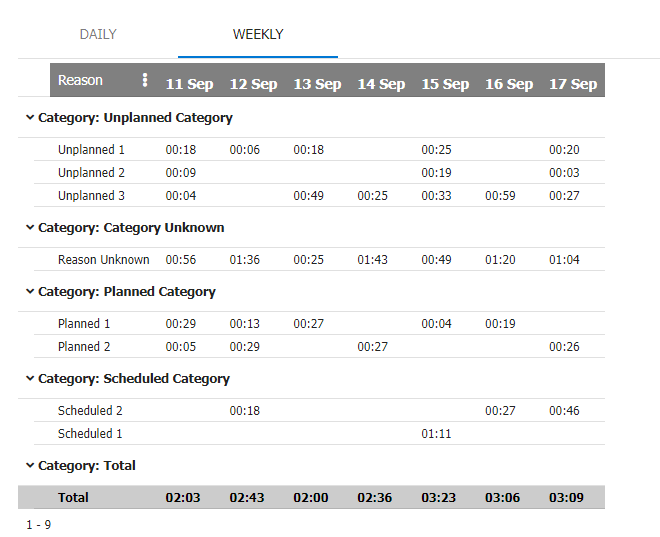
The third and final stop view shows the weekly downtimes in a graph form.
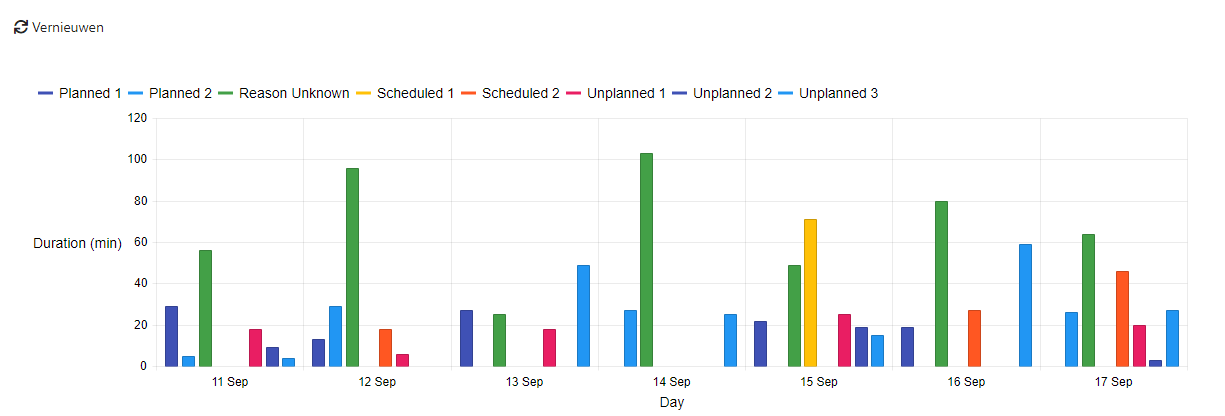
All downtimes for the week in which the selected date falls are grouped by day and downtime reason. This graph shows which reasons repeatedly cause high downtimes or can show if certain efforts in reducing downtimes from a specific reason had a significant impact.
The beginning and end for each day is determined by the beginning of the first shift and the end of the last shift for each day in that week.