Scrap
The scrap view gives detailed insights into how many items were scrapped, at what times during a shift/day and for what reasons. Users can also use this overview to update the reason why items were scrapped or add more detailed descriptions. Scrap is displayed in three different ways:
- Daily summary: Per shift sum of scrap grouped by reason
- Details: All scrap entries for the selected day, per shift
- Weekly: Sum of scrap per article and day for the week in which the selected date falls
Daily Summary
The daily summary groups and sums scrap by shift and article and orders the most common scrap reasons highest. Scrap is also shown in a graph form where the amount of scrap is summed per reason for the entire day.
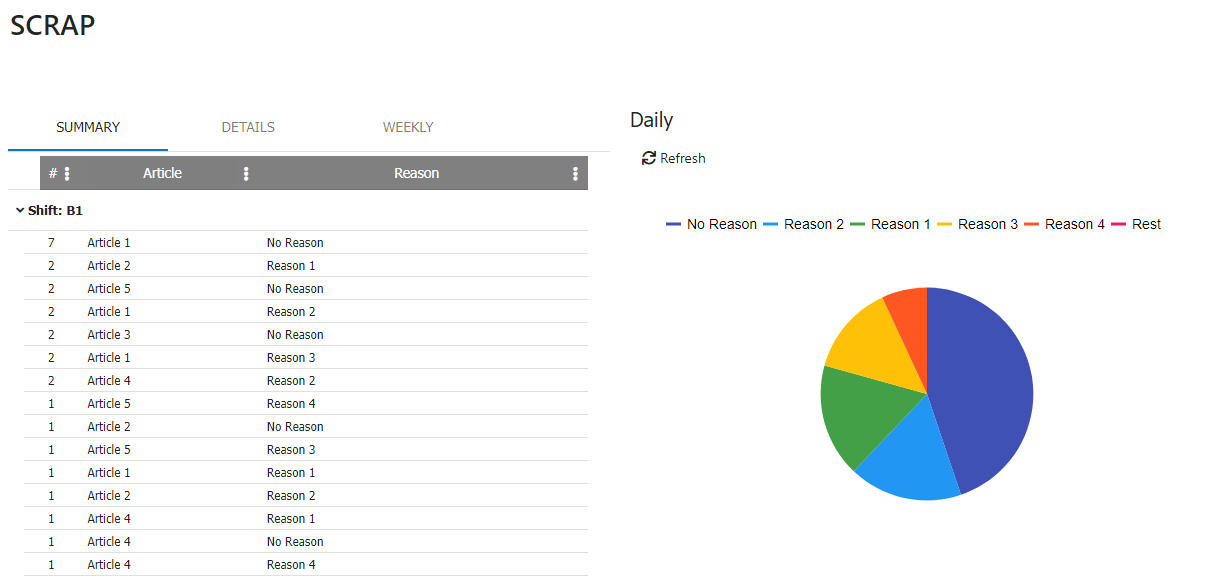
Daily Overview
The daily overview shows data for the selected date split up by the shifts configured for that machine on the selected day. This allows a user to not only analyse how much scrap the machine produced on a given day, but also how much scrap was produced in individual shifts. This view allows users to view and update individual scrap reasons and descriptions.
- Example
- Fields
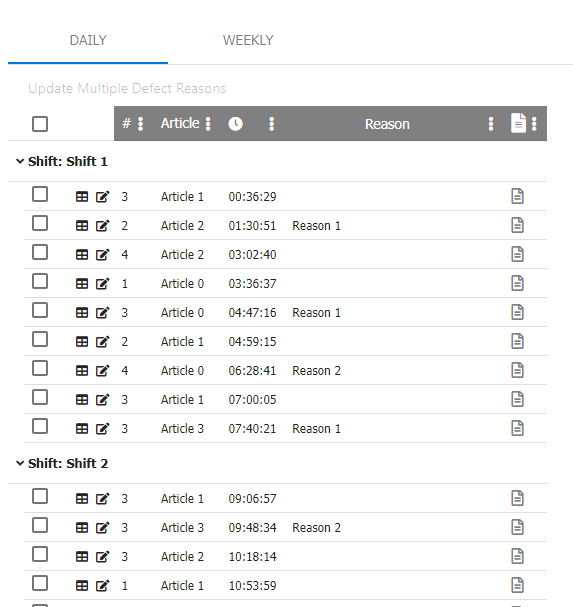
| Column | Description |
|---|---|
| # | The amount of pieces that were scrapped. |
| Article | The article that was produced and then scrapped. |
| Timestamp | The time at which this scrap was registered. |
| Reason | The reason for this scrap entry. |
| Description | An optional detailed description for scrap entries. |
Updating Scrap
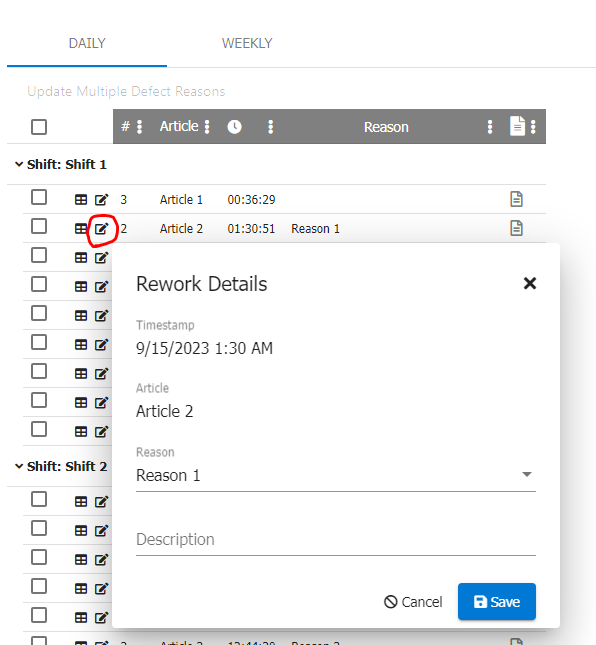
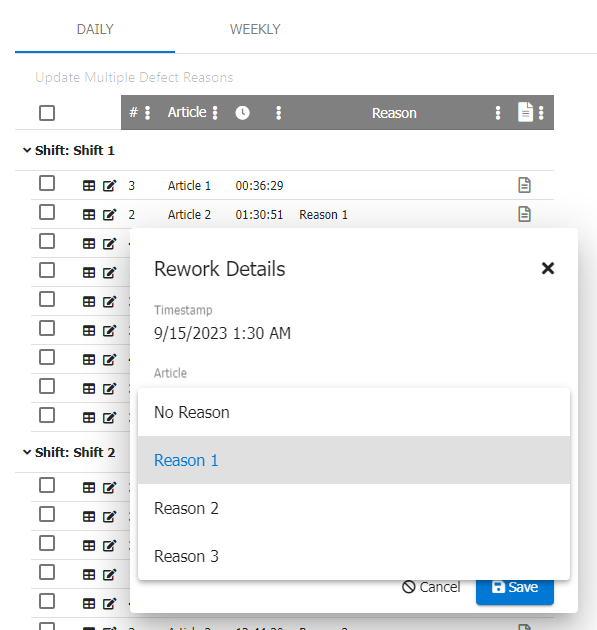
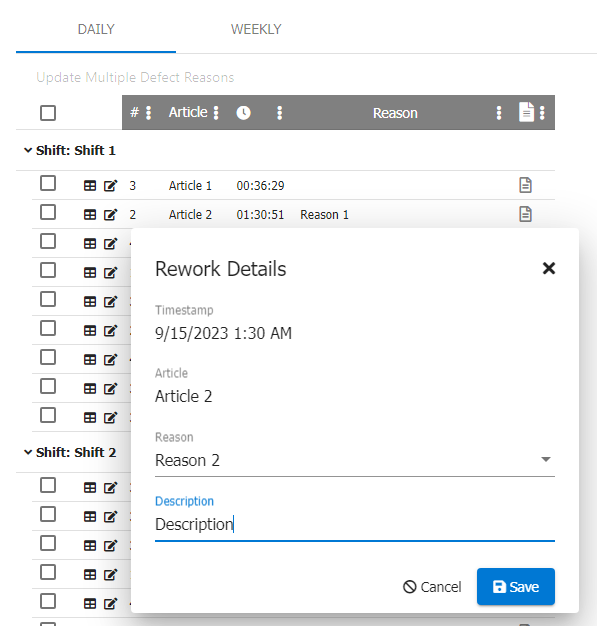
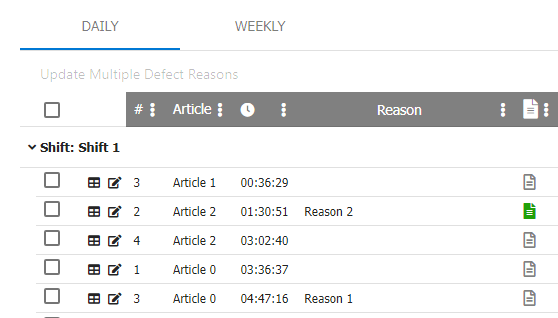
The daily overview allows users to update scrap reasons and scrap descriptions. Scrap reasons are limited to those defined in the Master Data Dashboard. Descriptions are free text fields where users can enter any information they want.
To update scrap, click on the 'Update Scrap Icon'.
- Updating Scrap 1
- Updating Scrap 2
- Updating Scrap 3
- Updating Scrap 4
Weekly Overview
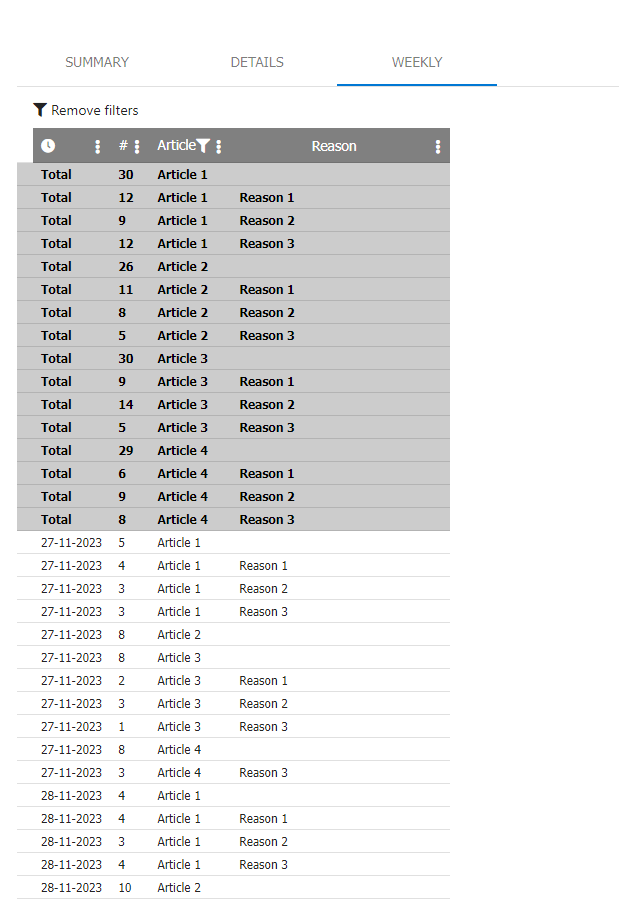
The weekly overview shows similar data as the daily overview, but this time it shows the information per full day and this for monday until sunday for every day in the week that contains the selected date. The beginning and end for each day is determined by the beginning of the first shift and the end of the last shift for each day in that week.
- Example
- Fields
| Column | Description |
|---|---|
| Date | The day on which this scrap was registered. |
| # | The amount of pieces that were scrapped. |
| Article | The Article that was produced. |
| Reason | The reason for this scrap entry. |